In 2026, Notion dashboards have become the backbone of productivity and organization for individuals and teams. As digital workspaces evolve, more people are searching for fresh notion dashboard ideas to streamline their lives and businesses.
Notion dashboards act as customizable hubs, centralizing everything from daily routines to project management and habit tracking. Their popularity continues to grow due to their flexibility and powerful integration options.
This article showcases 12 inspiring Notion dashboard ideas that can transform how you manage your life, work, studies, finances, and more. Ready to discover your next dashboard? Explore all 12 ideas below.
The landscape of productivity tools has changed dramatically, and Notion stands out as a frontrunner in 2026. The growing popularity of customizable digital workspaces is transforming how people organize their lives and work. As more users seek streamlined solutions, notion dashboard ideas have become central to boosting efficiency and clarity in both personal and professional settings.
One of the core advantages of adopting notion dashboard ideas is the centralization of information. Instead of juggling multiple apps and tabs, users can bring everything into one unified space. This approach enables quick access to notes, tasks, goals, and resources. Notion dashboards also offer automation features, such as recurring task reminders or integrated databases, which minimize manual work and free up time.
Collaboration is another major benefit. Teams and individuals can share dashboards, delegate tasks, and update project statuses in real time. This flexibility supports a wide variety of workflows, from solo goal tracking to team-based project management. Customization is at the heart of every dashboard, allowing users to tailor layouts and widgets to match their unique needs.
Key Benefits Table
| Benefit | Description |
|---|---|
| Centralization | All data in one place |
| Automation | Streamlined, repetitive tasks |
| Collaboration | Share and work together easily |
| Customization | Personalize to fit any workflow |
The demand for notion dashboard ideas is reflected in Notion’s explosive user growth and technological advancements. As of 2026, Notion has surpassed significant user and revenue milestones, with millions of businesses and students relying on the platform for daily operations. The adoption of AI-powered widgets and cross-platform integrations further elevates the user experience, enabling smarter task management and seamless connectivity.
Notion’s expansion is not only about numbers but also about innovation. For more insights on how AI is transforming the platform and driving user adoption, see Notion's User Growth and AI Integration. These technological leaps allow dashboards to offer real-time analytics, personalized recommendations, and deeper automation, keeping users ahead of the productivity curve.
Notion dashboard ideas are instrumental in reducing digital clutter. By consolidating information and automating routine tasks, dashboards help users maintain focus and clarity. This streamlined approach is especially valuable for managing complex projects, tracking habits, or balancing multiple roles.
Emerging trends in 2026 highlight the importance of dashboards in supporting hybrid work, remote learning, and ongoing personal development. As users seek more flexible and effective ways to manage their time, Notion dashboards are evolving to meet these needs. Whether you are a student, a freelancer, or a business leader, the right dashboard can transform your workflow and drive meaningful results.
The year 2026 has brought a surge of creativity to the world of Notion dashboard ideas. Whether you want to overhaul your personal productivity, streamline your business operations, or organize your student life, the right dashboard can be transformative. Below, you’ll find 12 innovative Notion dashboard ideas that address a variety of needs and aspirations.
Curious about what’s possible? Let’s explore how these dashboards can elevate your workflows, help you stay on track, and inspire your next big project.
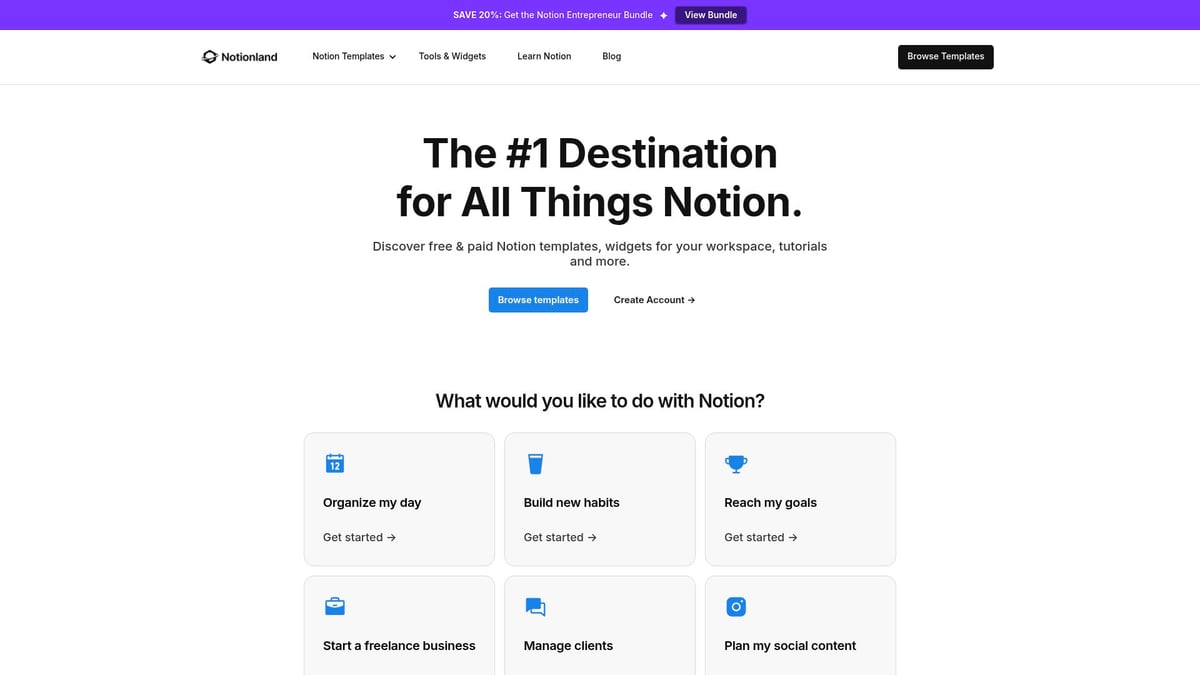
The Notionland Life OS Dashboard is a flagship among notion dashboard ideas, offering both free and premium versions (starting at $19). It centralizes all aspects of life, from habit tracking and journaling to calendar integration, goal setting, and a personal CRM.
Key features include:
This dashboard benefits productivity enthusiasts, students, and professionals seeking a single source of truth for daily routines and personal growth. Its comprehensive design and strong community support ensure users receive ongoing value.
Unique for its high-quality aesthetic and continuous improvements, the Life OS Dashboard stands out among notion dashboard ideas. However, newcomers to Notion may find its depth initially overwhelming, requiring a period of adjustment.
The Minimalist Life Dashboard by Gridfiti is a top choice for those seeking clarity and simplicity in their notion dashboard ideas. Priced from $29, this template features a clean interface, daily planner, routines, and interconnected databases.

Benefits include:
It targets minimalists and busy professionals who value a plug-and-play setup. The dashboard’s aesthetic appeal and user-friendliness make it inviting for those new to Notion.
While the Minimalist Life Dashboard is visually appealing and enhances focus, it offers fewer advanced features for power users. Those seeking deeper customization may consider other notion dashboard ideas.
The Ultimate Student Hub by Easlo is designed specifically for academic success, making it an essential in the realm of notion dashboard ideas. With free and paid tiers ($0–$29), it covers class schedules, assignment tracking, grade calculation, and a resource library.
Key features:
This dashboard helps students manage deadlines, monitor GPA, and store resources in one place. It is ideal for high school and university students seeking comprehensive academic organization.
Its robust feature set and adaptability make it a standout among notion dashboard ideas. However, users may need to invest time in setup for unique academic requirements.
For knowledge workers, the Second Brain Dashboard by Notionway brings the PARA method to life within Notion. Available for $19, it structures notes, tasks, and projects for maximum recall and creativity.
Features include:
This dashboard is perfect for creators, researchers, and anyone aiming to capture and organize knowledge efficiently. The integration of PARA makes it unique among notion dashboard ideas.
While it encourages lifelong learning and scales with your needs, mastering the PARA method may involve a learning curve for some users.
Among notion dashboard ideas for finances, the Ultimate Finance Tracker stands out. Priced at $24, it offers budgeting, expense tracking, income reports, and investment logs.
Highlights:
This dashboard is ideal for individuals, freelancers, and small business owners seeking financial clarity. It supports goal setting and habit building for better money management.
The tracker’s detailed analytics are a major advantage. However, manual data entry is required, which may not suit those seeking full automation in their notion dashboard ideas.
For content creators, the Notion Content Creation Hub by Red Gregory is a leading free option among notion dashboard ideas. It provides an editorial calendar, content pipeline, and asset management tools.
Benefits include:
This dashboard is tailored for bloggers, YouTubers, and marketers who want to manage their creative pipeline efficiently. Designed by a trusted Notion expert, it is easy to duplicate and adapt.
While it is highly adaptable and free, its analytics capabilities are limited compared to some paid notion dashboard ideas.
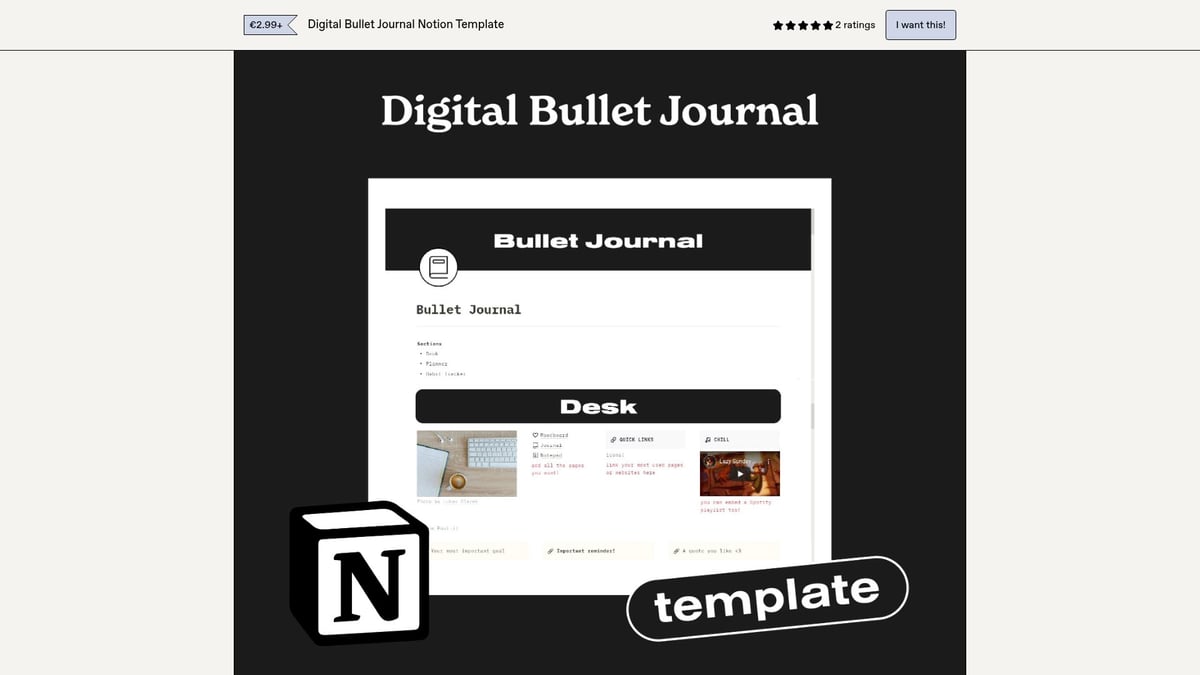
The Aesthetic Digital Bullet Journal by GispertNuria brings creativity and mindfulness to the forefront of notion dashboard ideas. At $12, it features habit tracking, mood logs, monthly and weekly spreads, and creative prompts.
Key aspects:
Targeted at creatives and self-improvers, this dashboard combines productivity with wellness. Its visually engaging format makes organization enjoyable.
Regular customization may be needed to keep the experience fresh, which could be a drawback for users looking for static notion dashboard ideas.
The Ultimate Project & Task Manager by Templates by N is a robust solution among notion dashboard ideas for professionals. Priced at $25, it offers kanban boards, task dependencies, deadlines, and team collaboration features.
Highlights:
This dashboard enhances project visibility and accountability, making it ideal for teams and project managers. Its rich feature set supports complex workflows.
While powerful, it may be too feature-rich for those seeking simple task lists within their notion dashboard ideas.
Health & Wellness OS by Gridfiti focuses on holistic well-being, earning its place among top notion dashboard ideas. For $19, it includes a workout log, meal planner, health goals, and mood tracker.

Key benefits:
This dashboard motivates fitness enthusiasts and wellness seekers to maintain healthy habits. Its easy personalization suits a range of wellness journeys.
Some features may overlap for users with basic needs, but its comprehensive scope makes it a strong contender among notion dashboard ideas.
The Notion Travel Planner by Travelo is a must-have for travelers seeking efficient notion dashboard ideas. At $15, it offers an itinerary builder, packing lists, budget tracker, and reservation organizer.
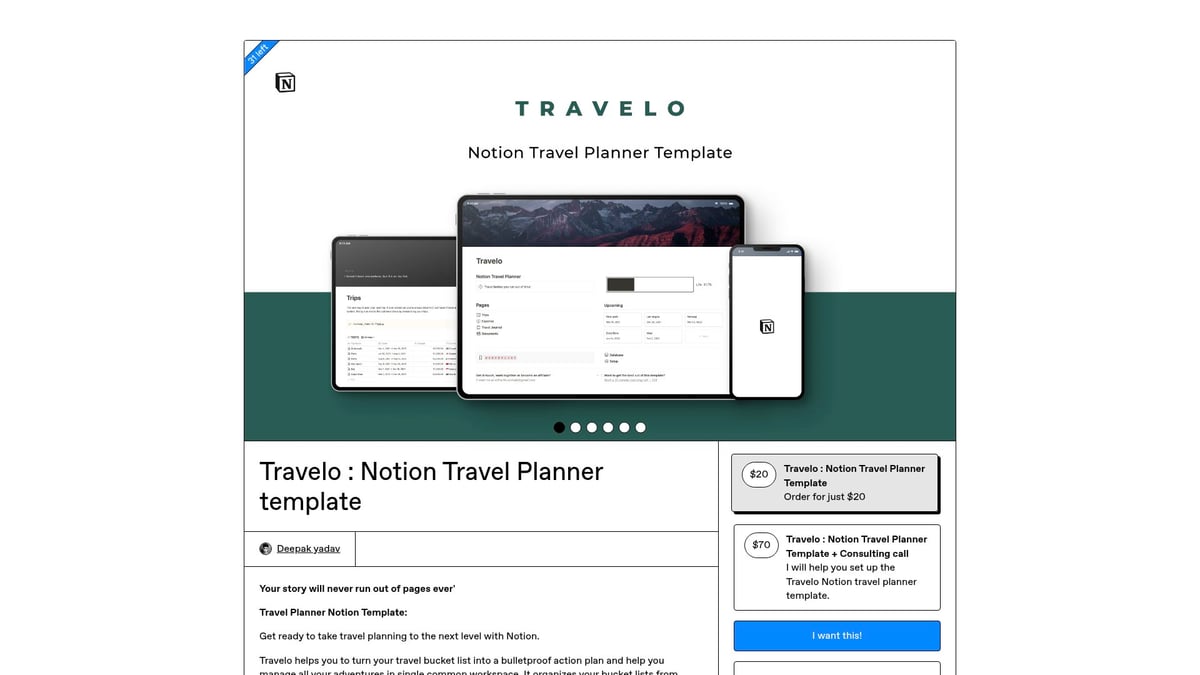
Benefits:
Perfect for frequent travelers and vacation planners, this dashboard saves time and reduces travel anxiety. It streamlines every step of trip planning.
Manual updates may be necessary for last-minute changes, but its convenience outweighs this minor drawback for most users seeking travel-focused notion dashboard ideas.
Business CRM & Client Portal by Design by Ayelet is a premium option among notion dashboard ideas for professionals. Priced at $39, it includes client onboarding, project status, invoice tracking, and communication logs.
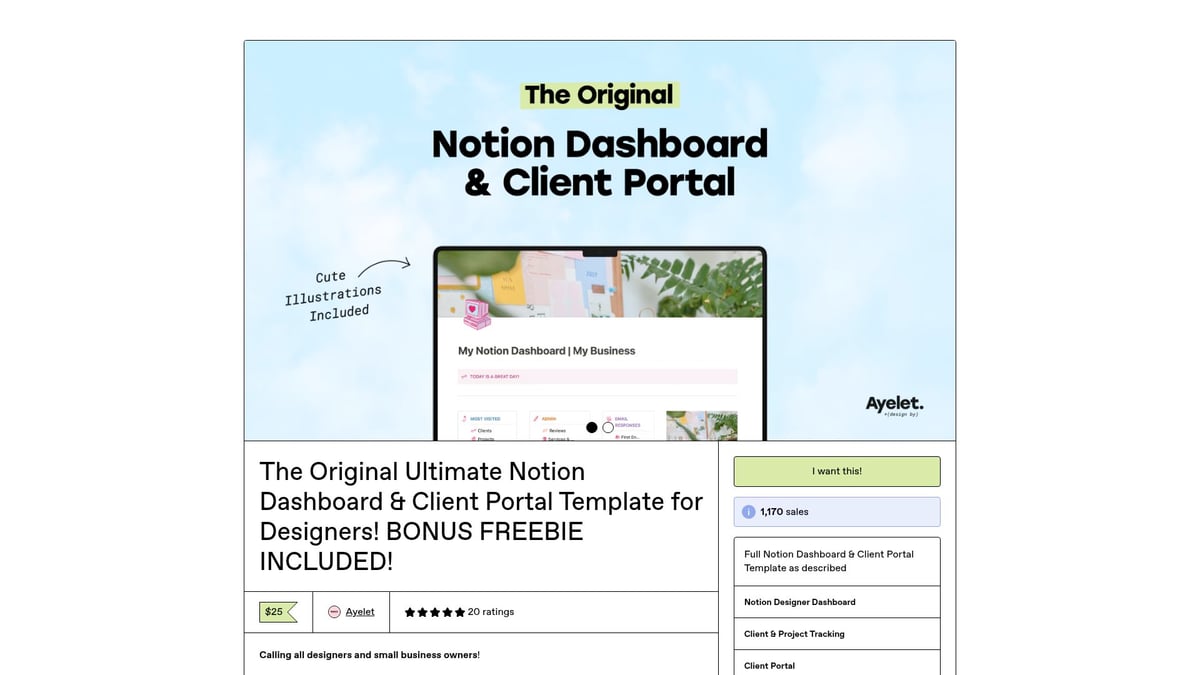
Highlights:
Freelancers, agencies, and consultants benefit from streamlined client management and enhanced transparency. This dashboard professionalizes business processes.
Initial customization may be required, but its feature set makes it a valuable part of any business-focused notion dashboard ideas.
The Reading List Tracker by Gridfiti is tailored for book lovers and students exploring notion dashboard ideas. At $15, it features a book database, reading progress tracker, reviews, and wishlists.

Key aspects:
This dashboard organizes reading goals and tracks finished books efficiently. It is easy to update and visually engaging.
Its scope is limited to reading, so users seeking broader media tracking may need to consider other notion dashboard ideas.
For more inspiration and a broader selection of templates, explore the Notion dashboard templates gallery, where you can discover new and trending solutions to match your workflow.
Choosing from the vast array of notion dashboard ideas can feel overwhelming, especially as more templates emerge to suit every workflow. Understanding your own goals and preferences is the first step toward finding a dashboard that truly transforms your productivity.
Before diving into the world of notion dashboard ideas, take a moment to reflect on your unique needs. The table below summarizes the most important considerations:
| Factor | Description |
|---|---|
| Goals | Clarify personal or professional objectives |
| Workflow Style | Minimalist vs. feature-rich, solo vs. collaborative |
| Integration Needs | Calendar sync, task automation, external widgets |
| Customization | Ability to adjust layouts, fields, and workflows |
| Scalability | Room to grow as your needs evolve |
| Budget | Free vs. paid, value for investment |
| Community Support | Creator updates, user forums, template documentation |
Matching your requirements with the right dashboard ensures you get the most from your Notion experience.
When evaluating notion dashboard ideas, budget plays a key role. Free templates are perfect for beginners or those testing the waters. They often provide core features and a glimpse into the template creator’s style.
Paid templates, on the other hand, typically offer advanced features, ongoing updates, and premium support. Investing in a paid dashboard can be worthwhile if you require automation, integrations, or specialized views. For a deeper dive into comprehensive productivity templates, see the Notion productivity dashboard guide.
Different users have different priorities when exploring notion dashboard ideas. Consider these scenarios:
By mapping your daily routines and long-term ambitions, you can pinpoint the dashboard type that best fits your lifestyle.
Do not be afraid to experiment with several notion dashboard ideas before settling on one. Start with a template that feels close to your desired workflow, then customize fields, layouts, and automations as needed.
The right dashboard should feel like a natural extension of your process, saving you time and reducing digital clutter. Iteration is key to making any Notion workspace truly your own.
As 2026 unfolds, notion dashboard ideas are rapidly evolving to meet new productivity demands. Expect to see more AI-powered automation, with dashboards leveraging intelligent widgets and real-time analytics for deeper insights. Community-driven template marketplaces and the rise of the creator economy will push innovation forward, making customization easier than ever.
Mobile-first designs and improved accessibility are set to become standard, ensuring users can manage workflows on any device. As hybrid work and lifelong learning become more prevalent, dashboards will adapt, supporting wellness, collaboration, and continuous personal growth. For those interested in exploring the latest customization options, the Notion tools and widgets overview offers a glimpse into these emerging trends.
After exploring these innovative Notion dashboard ideas, you can see how the right template can truly elevate your productivity and organization in 2026. Whether you want to streamline your workflow, manage your goals, or simply declutter your digital life, there’s a dashboard to suit every need. If you’re feeling inspired and ready to take the next step, why not browse a curated selection of top Notion templates and resources? You’ll find options designed for both beginners and advanced users, all crafted to help you make the most of your Notion experience.
Shop Now