The demand for smarter, more efficient digital lesson planning is surging as we move into 2026. Educators across all levels are embracing tools that streamline their workflows, and the notion lesson plan template is quickly becoming a game changer in classrooms worldwide.
Notion templates are transforming how teachers organize, customize, and deliver their lessons. Whether you are preparing for daily activities or mapping out entire curricula, these templates offer flexibility, collaboration, and time-saving features.
This article spotlights the 7 best Notion lesson plan templates for 2026, curated to fit a variety of teaching styles and classroom needs. We will explore template features, pricing, user benefits, target audiences, and what sets each option apart. Ready to upgrade your lesson planning? Discover which template could revolutionize your teaching this year.
The landscape of lesson planning is rapidly evolving as educators embrace digital tools in 2026. The shift from paper-based methods to cloud solutions is accelerating, driven by the need for flexibility, collaboration, and accessibility. Notion is at the forefront of this movement, offering a dynamic platform that empowers teachers to organize, customize, and share their plans with ease. Schools and districts are increasingly adopting Notion for collaborative curriculum development, with its education user base growing year over year.
Over the past decade, educators have transitioned from paper planners to digital platforms. This change is not just about convenience but also about the ability to adapt quickly. Notion’s flexibility has made it a favorite for teachers seeking a personalized approach to planning. Its seamless integration with other digital tools allows for curriculum collaboration and resource sharing across teams. Many schools now rely on Notion for building unified, adaptable lesson plans that meet modern classroom demands. An increasing number of educators are choosing a notion lesson plan template to streamline their planning process and boost overall productivity.
A notion lesson plan template brings a range of benefits to educators. Teachers can organize lessons, resources, and assessments all in one place. Customizable layouts support different subjects and grade levels, making it easy to tailor plans for any classroom. Collaboration features allow teachers and students to share and edit content together. Automation tools, such as recurring lesson structures, save time on repetitive tasks. Accessibility across devices ensures that lesson plans are always available, whether in the classroom, at home, or on the go.
Selecting the right notion lesson plan template involves more than just visual appeal. Look for a template with a comprehensive structure, including objectives, materials, activities, and assessments. User-friendly navigation and customization options are essential for adapting to various teaching styles. Integration with calendars, task lists, and student databases can further enhance efficiency. Visual aids like embedded media, color coding, and tags help make information easy to scan. Effective tracking features allow teachers to monitor student progress and lesson outcomes with confidence.
Educators who have adopted a notion lesson plan template report significant improvements in lesson delivery and student engagement. Testimonials highlight how digital templates create consistency and save valuable planning time. Both K-12 and higher education instructors have seen streamlined workflows and increased collaboration. According to recent surveys, most teachers using Notion templates experience greater satisfaction with their planning process. For those seeking a variety of options, the Notion templates for teachers collection offers practical examples and inspiration for every teaching style.
As lesson planning continues to evolve, having the right notion lesson plan template can transform your workflow, whether you teach in a physical classroom or online. The right template saves time, supports collaboration, and adapts to diverse teaching styles. Below, discover the seven top picks for 2026, each offering unique benefits for educators seeking efficiency, flexibility, and impact.
For educators who want a straightforward approach, this notion lesson plan template offers a clean, intuitive interface for planning weekly and daily lessons. It includes dedicated sections for objectives, resources, and assessments, making it easy to organize content for any subject.
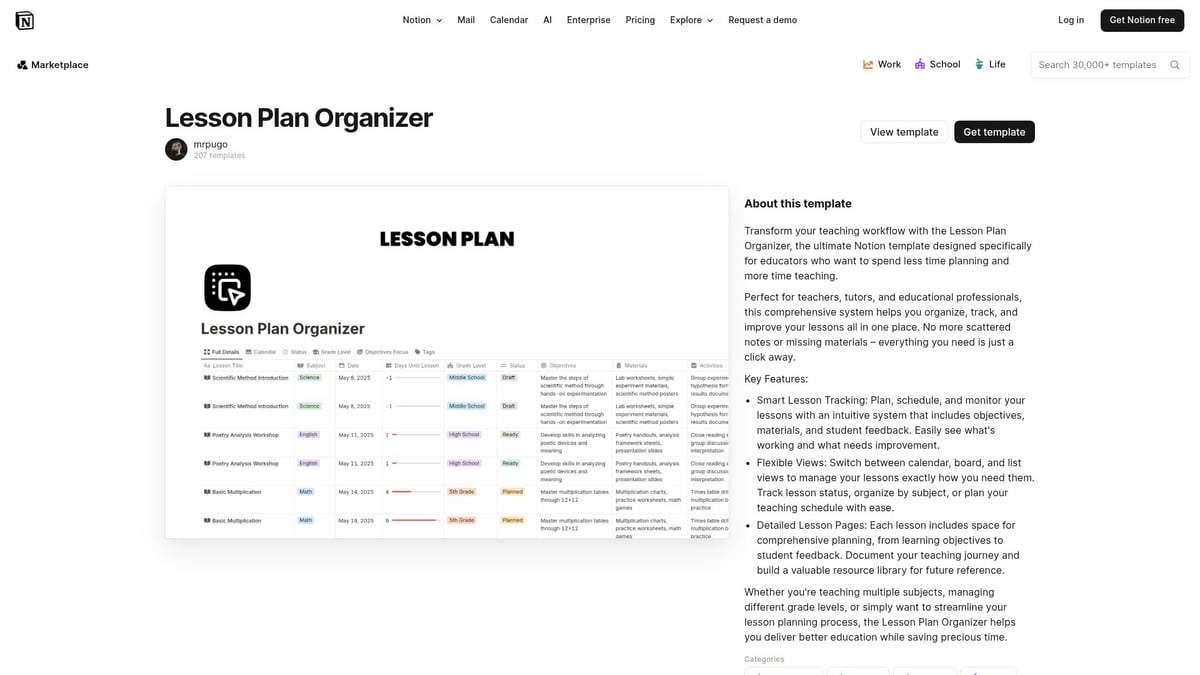
Key features of this template:
The template is highly customizable, so teachers can duplicate and adapt it for different courses or grade levels. Its simplicity allows both detailed and brief plans, which is perfect for new educators or substitute teachers who need quick onboarding.
Pros:
Cons:
Substitute teachers report that this notion lesson plan template helps them get up to speed quickly, ensuring lesson continuity for students.
Designed by educators for educators, this notion lesson plan template delivers a comprehensive dashboard for managing an entire academic year. It breaks down lessons by class, integrates with student databases, and includes a robust calendar view.
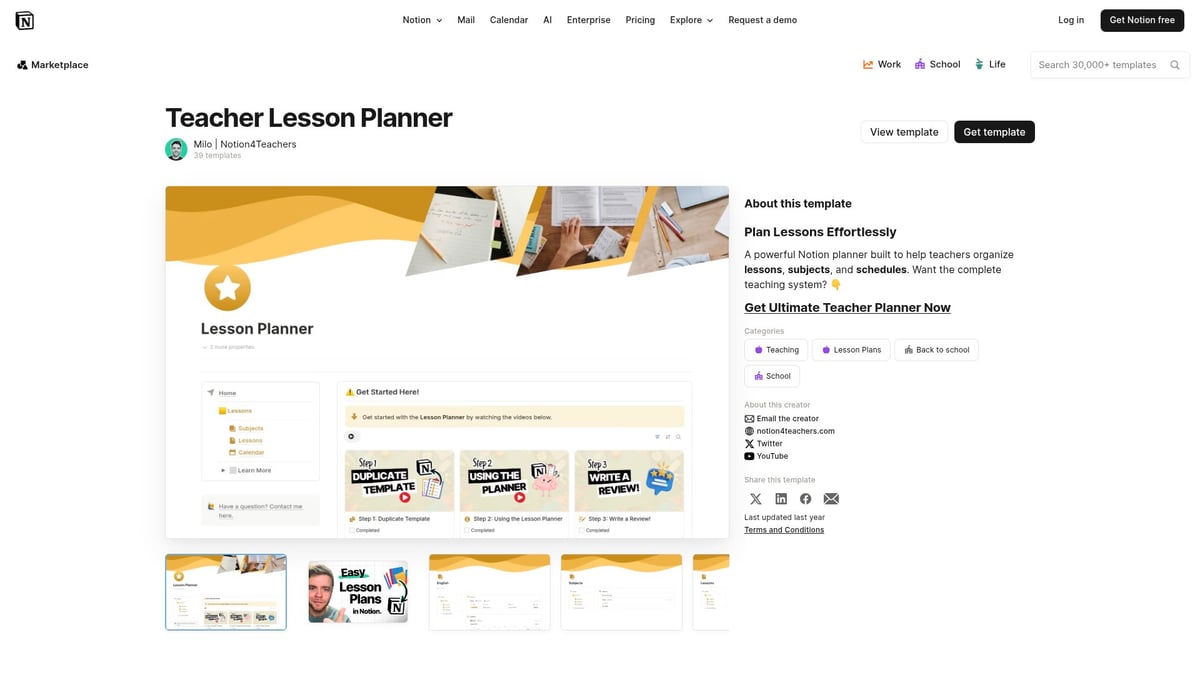
Highlights include:
This template is ideal for primary and secondary educators managing multiple classes. Initial setup requires time, but the payoff is a streamlined curriculum and easier collaboration among teaching teams.
Pros:
Cons:
Department heads often use this notion lesson plan template to align curriculum across grade levels, promoting consistency and clarity.
If you need macro-to-micro planning, this notion lesson plan template excels at outlining units, sequencing lessons, and linking resources. It is designed for educators who want to map out multi-week modules and track progress visually.
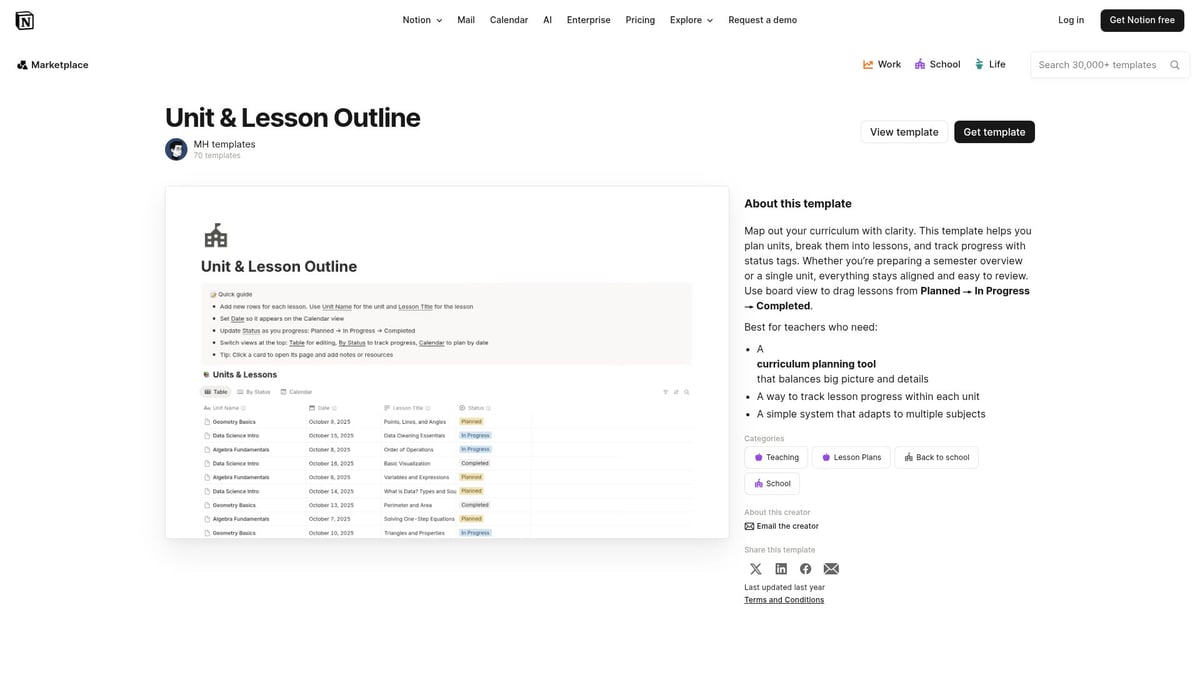
Key attributes:
This template is especially popular in STEM departments where curriculum mapping is crucial. While it’s less focused on daily activities, it provides a clear overview of semester units and lesson progress.
Pros:
Cons:
Educators in high schools and colleges rely on this notion lesson plan template for managing complex, multi-week instructional units.
For online educators or trainers developing entire programs, this notion lesson plan template is a robust choice. Its modular structure allows you to build out courses with multiple lessons, resource banks, and assessment tracking.
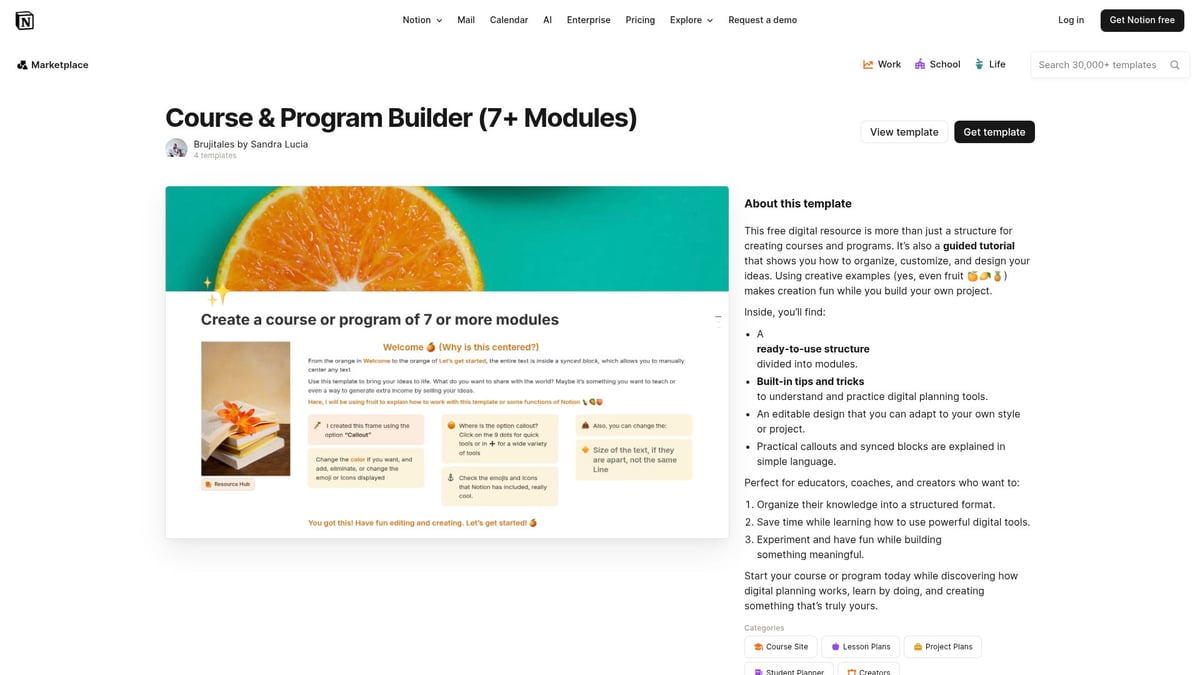
Features include:
This template is scalable, making it suitable for large programs or academies offering comprehensive curricula. Although it may be more than needed for single-lesson plans, its versatility appeals to course creators seeking a powerful organization tool.
Pros:
Cons:
Online academies use this notion lesson plan template to streamline curriculum development and ensure all resources are easily accessible.
The official Notion's Lesson Plan Template is a favorite for its simplicity and reliability. This notion lesson plan template covers all essentials: lesson objectives, required materials, activities, and post-lesson reflections.
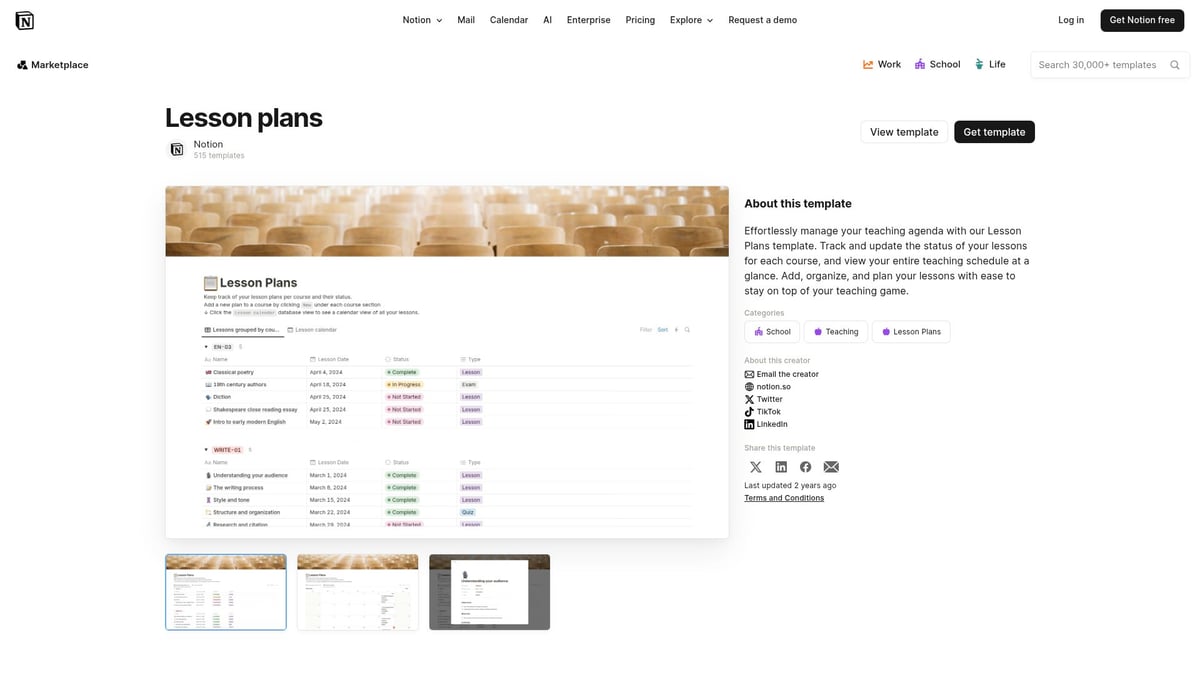
Main features:
This template is ideal for teachers who want a minimal learning curve. It is also widely used in teacher training programs for practice and demonstration.
Pros:
Cons:
Many educators appreciate this notion lesson plan template for its straightforward approach and compatibility with different teaching contexts.
For those seeking an all-in-one solution, this notion lesson plan template combines lesson planning, classroom management, student tracking, and analytics. It is a paid template but offers a comprehensive suite of tools for busy teachers.
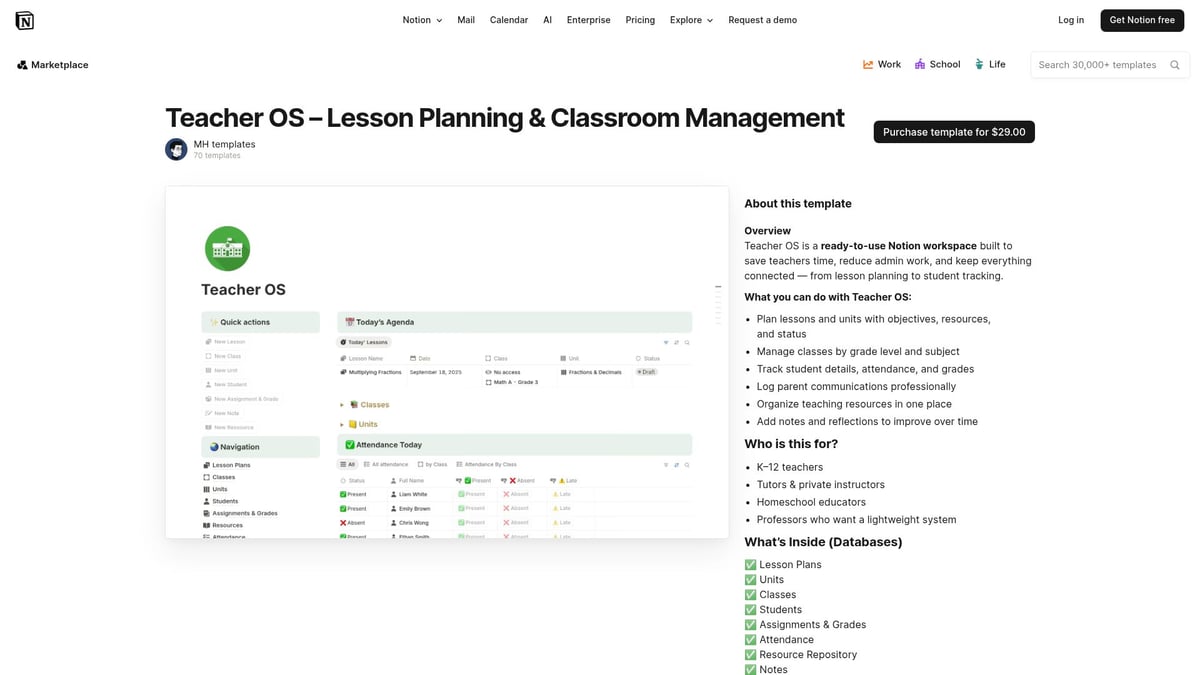
Key components:
This template is especially valuable for teachers managing multiple classes or special education groups. Its robust reporting features help educators personalize instruction and monitor progress.
Pros:
Cons:
Special education teachers note this notion lesson plan template’s value in creating individualized plans and tracking student outcomes.
This notion lesson plan template is unique for its dual focus: it manages both lesson plans and student data. Teachers can track homework, log progress, and keep detailed student records alongside their lesson planning.
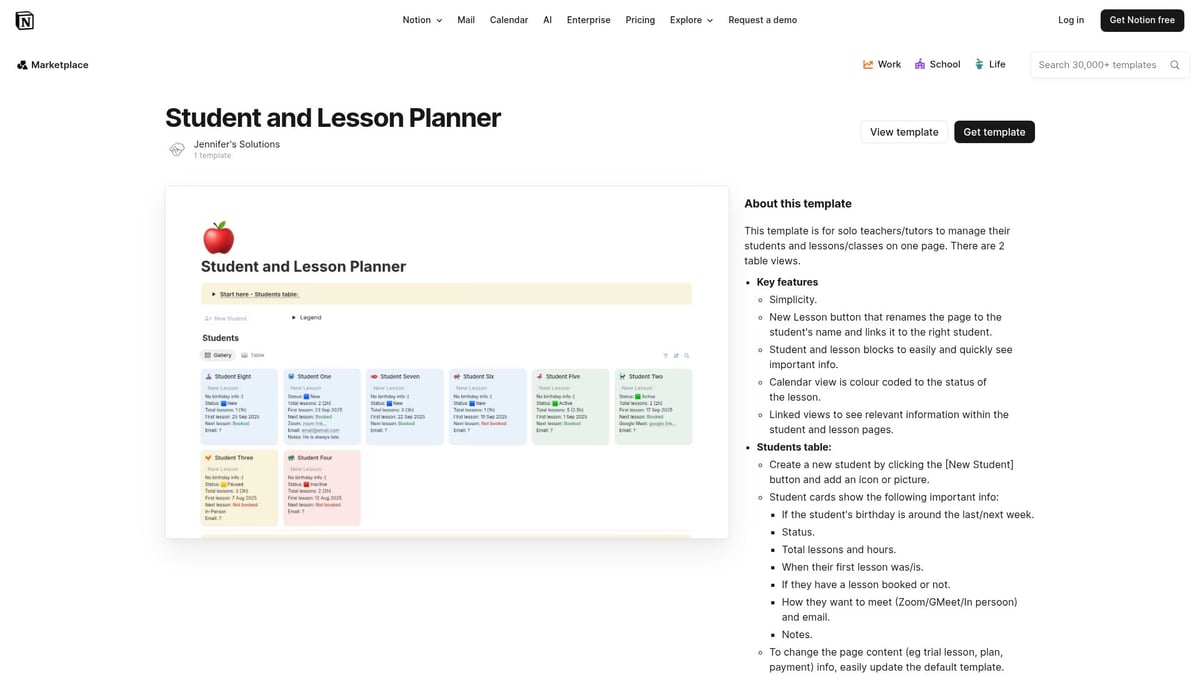
Features at a glance:
Ideal for private tutors, small group instructors, and special education professionals, it ensures a holistic view of both teaching and student needs.
Pros:
Cons:
After-school programs choose this notion lesson plan template to track how each lesson affects student development and engagement.
Selecting the perfect notion lesson plan template can significantly impact your teaching efficiency and classroom outcomes. The right choice depends on your planning style, classroom demands, and level of digital experience. Below, we break down key considerations to guide your decision and help you maximize the benefits of Notion for lesson planning.
Begin by evaluating your teaching approach and classroom structure. Do you prefer mapping out lessons daily, weekly, or by unit? Consider whether your workflow requires integration with student databases or classroom management tools.
Ask yourself if you need collaboration features for team planning, or if a solo notion lesson plan template is sufficient. By clarifying your needs upfront, you can filter out templates that do not align with your instructional style.
A great notion lesson plan template should offer both structure and flexibility. Look for customizable layouts that support various subjects, grade levels, and teaching methods. Assess whether the template supports automation, such as recurring lesson structures or reminders for assessments.
Key features to consider:
Templates that allow you to embed images and videos can make your plans more dynamic. Ensuring easy navigation and quick edits will save time and keep your lesson planning process efficient.
When choosing a notion lesson plan template, weigh the benefits of free options against paid templates. Free templates often provide all essential features for straightforward planning, while paid versions may offer deeper analytics, all-in-one management, or enhanced customization.
| Feature | Free Templates | Paid Templates |
|---|---|---|
| Cost | $0 | Varies (e.g., $29) |
| Customization | Basic to moderate | Advanced |
| Analytics | Limited or none | Detailed reports and tracking |
| Support | Community-driven | Direct support, updates |
For example, the Lesson Planner by Notionland delivers a comprehensive free solution, while premium templates may be better for educators needing robust analytics or classroom management tools. Match your investment to your teaching scale and feature requirements.
Access to support and learning resources can make a huge difference in how effectively you use your notion lesson plan template. Look for templates with clear documentation, video tutorials, or active user communities.
If you are new to Notion, resources like Learn how to use Notion provide valuable guides for educators aiming to maximize their lesson planning experience. Engaging with the Notion educator community will help you refine and customize your templates over time.
Digital lesson planning is evolving quickly, and making the most of your notion lesson plan template can transform your teaching experience. Whether you are just starting or looking to upgrade your workflow, these strategies will help you unlock the full potential of your favorite templates.
Integrating your notion lesson plan template with other digital tools can significantly simplify your day-to-day planning. Sync your Notion workspace with Google Calendar to keep lesson schedules organized and visible across devices. Many teachers also connect task managers and student portals for seamless communication.
Notion AI features can help generate lesson content or summarize weekly objectives, speeding up the planning process. For an all-in-one classroom experience, explore the Classroom manager Notion template, which combines lesson planning with class and student management, making integrations even more effective.
Automation tips, such as setting up recurring lesson structures, further reduce repetitive work. Using these integrations ensures your notion lesson plan template remains at the center of your digital teaching toolkit.
Collaboration is key to a thriving educational environment. Setting up shared notion lesson plan template pages for teaching teams encourages idea exchange and consistent curriculum delivery. Use Notion’s permissions settings to manage who can edit or view each lesson plan, ensuring privacy for sensitive student information.
Teachers often create shared libraries of resources, activities, and assessments, streamlining planning across departments. For example, co-teachers can work together on real-time updates, making adjustments as classroom needs change.
Schools that prioritize collaborative planning report higher consistency and engagement among staff. Adopting these practices in your notion lesson plan template workflow fosters a supportive and efficient teaching community.
A well-designed notion lesson plan template should do more than organize your schedule. Use built-in analytics to monitor which lessons are most effective and where students may need extra support. Many templates allow you to embed reflection prompts or feedback sections after each lesson.
Tracking student progress through checklists or linked databases can reveal learning trends over time. For more holistic tracking, templates like the Aesthetic student dashboard offer an integrated space for both lesson plans and student data.
Regularly reviewing your lesson outcomes helps you adapt your teaching strategies. Data-driven reflection ensures your notion lesson plan template supports continuous improvement and student success.
The world of digital lesson planning is always changing. Stay ahead by regularly checking Notion’s template marketplace for the latest notion lesson plan template releases. Many educators participate in online forums and peer communities, where they share recommendations and customization tips.
Subscribing to Notion newsletters and following educator-focused reviews, such as the Notion Review for Teachers, can help you discover new features and best practices. This way, you ensure your notion lesson plan template remains current and tailored to evolving classroom needs.
Keeping your resources up to date empowers you to deliver relevant and engaging lessons in 2026 and beyond.
As we’ve explored, the right Notion lesson plan template can make all the difference in streamlining your teaching, saving you time, and helping you stay organized in 2026. Whether you’re looking for a simple solution or an all in one platform, Notionland brings together top templates, tools, and resources to suit every educator’s needs. If you’re ready to take your lesson planning to the next level and discover even more ways to enhance your workflow, I encourage you to Shop Now and find the perfect template to support your teaching journey.