Planning for 2026 can feel overwhelming, especially as projects grow more complex and teams expand. Many professionals are turning to Notion for its flexibility in project management and visual organization.
Using a notion roadmap template streamlines intricate planning by offering structure, clarity, and collaboration. With a range of templates available, each caters to different workflows and goals, making it easier to manage everything from product launches to business growth.
In this article, we review and compare the 7 best Notion roadmap templates for 2026. You will discover their features, pricing, unique advantages, and the types of projects they suit best, helping you choose the perfect fit for your next big plan.
Planning for the future can be complex, especially when managing multiple goals and stakeholders. The right tools make all the difference, and a Notion roadmap stands out for its versatility, clarity, and collaborative power.
Notion roadmap templates offer an intuitive way to visualize project stages, break down complex initiatives, and keep everyone aligned. With drag-and-drop features, you can quickly adjust priorities, timelines, and dependencies as your plans evolve. Unlike static documents, a Notion roadmap is dynamic and adapts easily to change.
Visual Organization and Integrations
One of the core advantages of a Notion roadmap is its ability to combine databases, Kanban boards, Gantt charts, and timelines within a single workspace. You can switch between views to see tasks in a calendar, as a list, or on a timeline. Integrations with tools like Slack and Google Calendar ensure your roadmap stays connected to your broader workflow.
| Feature | Notion Roadmap | Traditional Spreadsheet |
|---|---|---|
| Timeline view | ✔️ | ❌ |
| Drag-and-drop tasks | ✔️ | ❌ |
| Real-time collaboration | ✔️ | Limited |
| Custom fields & properties | ✔️ | ❌ |
Collaboration and AI-Powered Tools
A Notion roadmap template encourages team collaboration with commenting, sharing, and live updates. Teams can communicate directly on tasks or milestones, reducing email chains and confusion. Notion’s AI-powered features automate repetitive actions, summarize project status, and streamline knowledge management for even greater efficiency.
Comparison to Traditional Tools and Productivity Gains
Unlike spreadsheets or static roadmapping tools, a Notion roadmap is designed to grow with your team. It allows for rapid iteration and real-time adjustments, making it easier to respond to feedback and shifting priorities. Many organizations report significant productivity improvements after adopting Notion roadmap templates, including faster project delivery and better stakeholder alignment.
Use Cases and Scalability
Notion roadmap templates shine across a range of scenarios: product launches, marketing campaigns, business growth planning, and personal goal tracking. Whether you’re a solo founder or an enterprise leader, a Notion roadmap scales to fit your needs. If you want to explore more options, the Best Notion Templates Collection offers a curated selection to fit every planning style.
Selecting the right notion roadmap template can make or break your 2026 planning. The process involves more than picking the first attractive layout. It is about ensuring your roadmap aligns with your project goals, team size, and workflow needs.
When choosing a notion roadmap, start by clarifying your project type. Are you mapping out a product launch, tracking marketing campaigns, or setting business goals?
Next, assess your team size. A solo founder may need a simple checklist, while larger teams require features like timelines, dependencies, and stakeholder views.
Look for essential features:
For a curated selection, explore Notion's Roadmap Templates to compare layouts and features.
A notion roadmap should adapt to your evolving needs. Templates that allow customization—such as adding custom fields, changing views, or modifying workflows—offer the best long-term value.
Flexibility is vital if your project scope changes. Choose templates that support easy adjustments and can scale as your team or goals grow.
Test the template with sample data before full adoption. This helps identify any limitations in structure or usability early on.
Notion roadmap templates come in both free and paid versions. Each has pros and cons:
| Feature | Free Templates | Paid Templates |
|---|---|---|
| Cost | $0 | Varies |
| Features | Basic to moderate | Advanced, specialized |
| Support | Community, limited | Priority, detailed |
| Updates | Occasional | Regular, guaranteed |
Consider integration needs. Does your roadmap need to sync with Google Calendar, Slack, or project tracking tools? Templates with built-in integration options or clear documentation save time.
Support and documentation are also crucial. Choose templates that offer guides, FAQs, or active community forums. Frequent updates indicate ongoing support and reliability.
Before committing to a notion roadmap, read user reviews and ratings. Direct feedback can reveal hidden strengths or dealbreakers.
For example, a solo founder might prefer a minimalist template with simple milestones. In contrast, a multi-product team will benefit from advanced features, stakeholder views, and robust integrations.
Test a few templates on a trial basis. The right notion roadmap should enhance clarity, communication, and progress tracking for your specific workflow.
Choosing the right Notion roadmap template can transform your 2026 planning from a complex challenge into a streamlined, collaborative process. With so many options available, it is essential to select templates that not only offer robust features but also align with your team's workflow, project scope, and growth ambitions.
This curated list highlights the seven best Notion roadmap templates for 2026. Each template was evaluated for usability, features, popularity, and unique advantages. Whether you are leading a startup, managing a large enterprise, or orchestrating multiple product launches, you will find a Notion roadmap solution tailored to your needs.
Below, explore in-depth reviews of each template, complete with use cases, pros and cons, and practical insights for effective roadmap planning.
The Product Roadmap Planner by Myron stands out for its clean, intuitive interface and flexible structure. This free template is designed to simplify the notion roadmap process, making it ideal for agile teams and fast-moving startups.
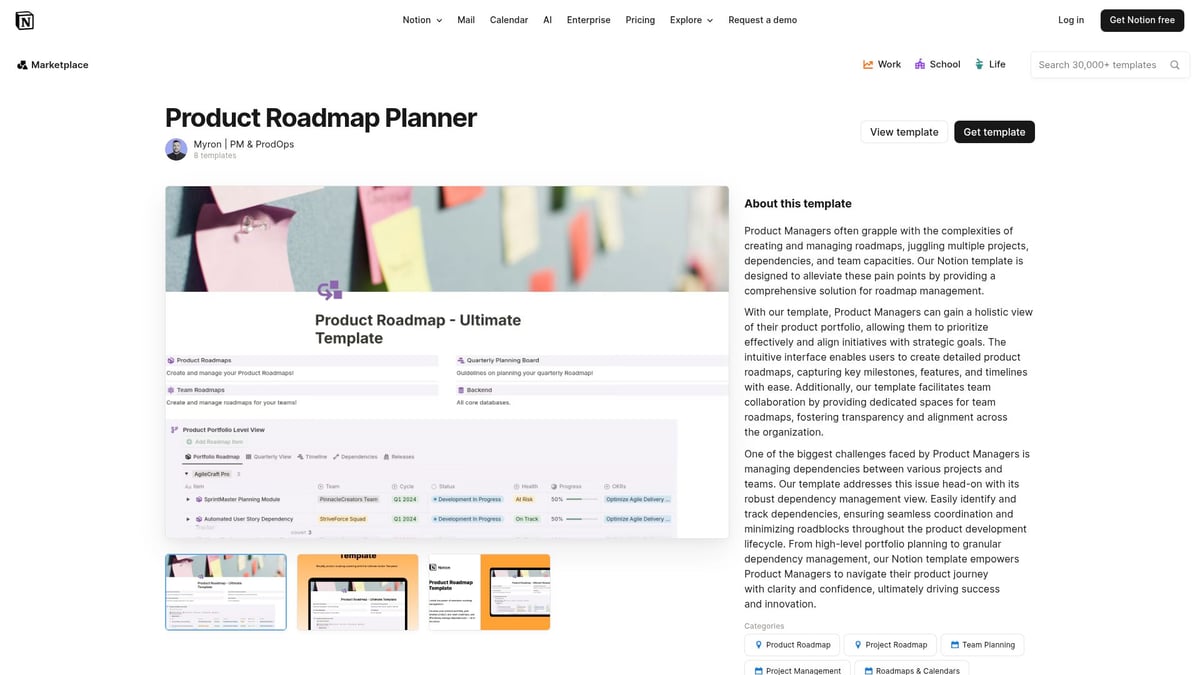
Core Features:
Unique Selling Points:
Target Audience: Product managers, startup founders, agile development teams.
Pros:
Cons:
Example Use Case: Launching a SaaS product with multiple feature releases, using the notion roadmap to align engineering, design, and marketing teams.
This template is perfect for those seeking a blend of simplicity and power in a notion roadmap, especially for product-driven environments.
For teams needing a visual and interactive approach to project scheduling, the Gantt Chart by mrpugo offers a robust solution. This free notion roadmap template is especially effective for mapping overlapping tasks and managing dependencies.
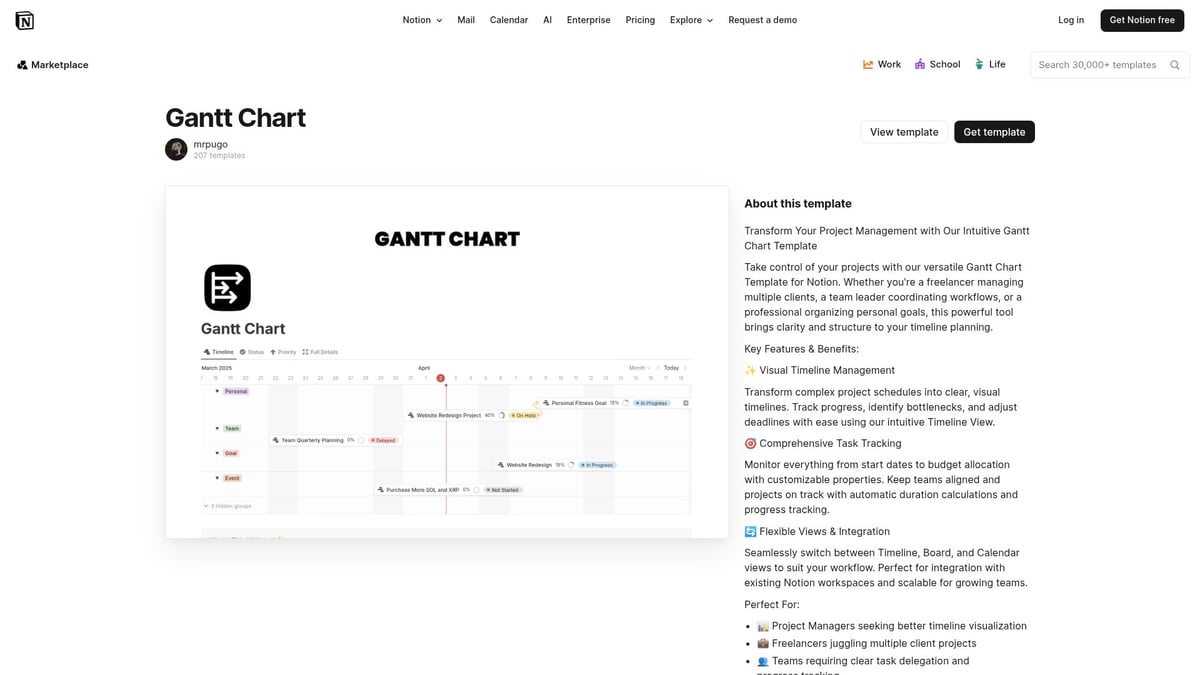
Core Features:
Unique Benefits:
Target Audience: Project managers, engineering teams, agencies.
Pros:
Cons:
Example: Coordinating a multi-stage product launch or planning a series of events with parallel workstreams.
With its focus on dependencies and visual clarity, this notion roadmap template empowers teams to stay ahead of deadlines and bottlenecks.
The Product Roadmap Timeline by desbyseb is crafted for long-term vision and strategic planning. It brings clarity to the notion roadmap process by emphasizing milestones and status tracking.
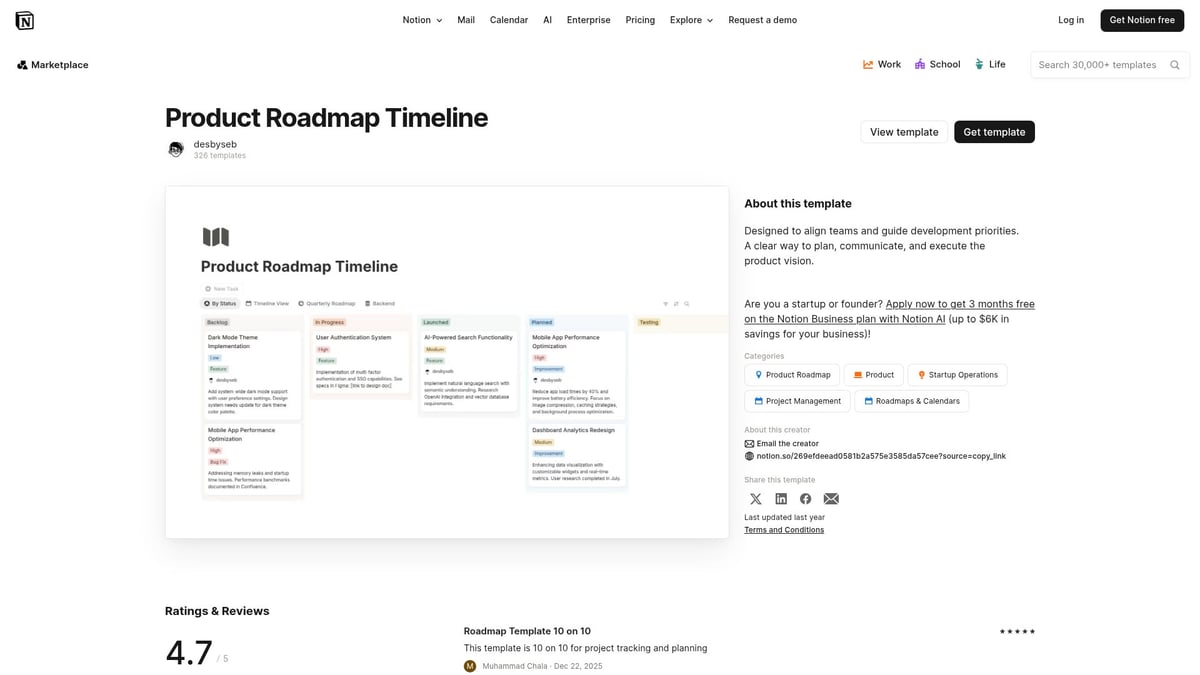
Core Features:
Unique Selling Points:
Target Audience: Product leads, marketing strategists, business owners.
Pros:
Cons:
Example: Outlining a 2026 product vision with quarterly objectives, leveraging the notion roadmap for transparent goal setting.
This template is an excellent fit for teams focused on big-picture outcomes and milestone-driven execution.
If your main objective is tracking key deliverables and deadlines, the Milestones & Timeline Planner by mrpugo streamlines the notion roadmap experience. It combines simplicity with essential features for monitoring progress.
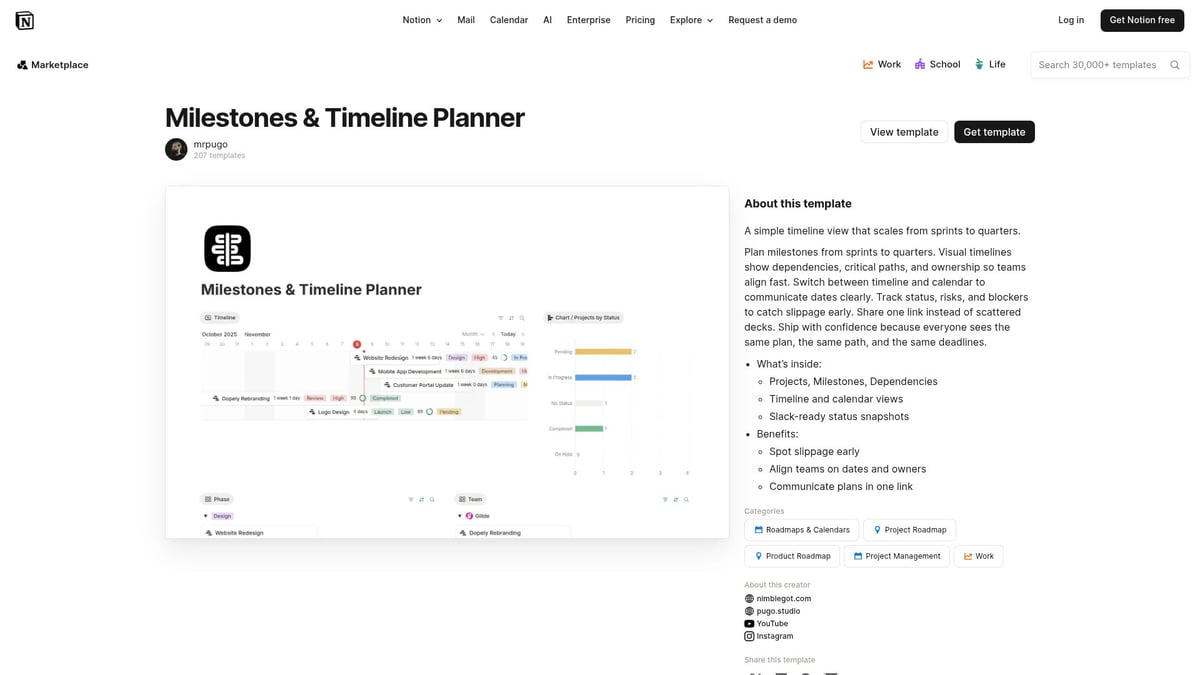
Core Features:
Unique Benefits:
Target Audience: Entrepreneurs, project coordinators, content teams.
Pros:
Cons:
Example: Planning a marketing campaign with key deadlines and deliverables, using the notion roadmap to ensure nothing slips through the cracks.
This template excels for those who want a straightforward, actionable notion roadmap.
The Digital Product Roadmap by That Vibe Coder is purpose-built for digital product teams. It excels in organizing feature backlogs and release cycles within a notion roadmap framework.
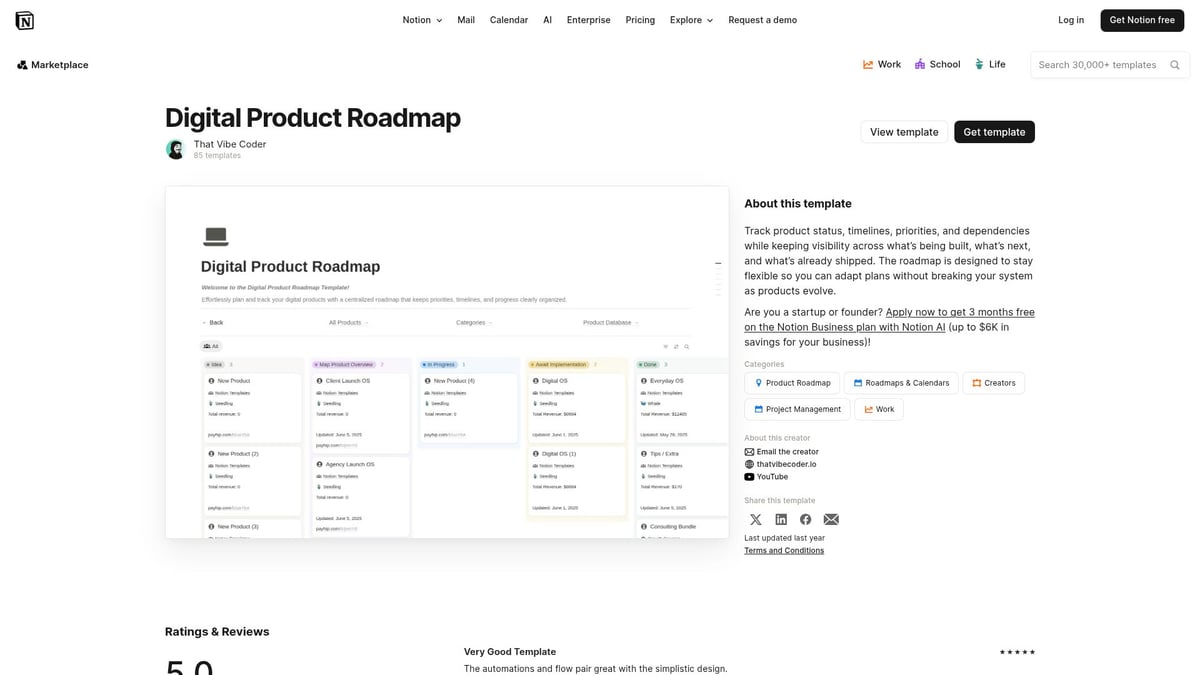
Core Features:
Unique Selling Points:
Target Audience: SaaS teams, digital creators, product managers.
Pros:
Cons:
Example: Managing a mobile app development pipeline, tracking releases, and incorporating user feedback into the notion roadmap.
Teams in the digital space will appreciate the depth and specificity of this notion roadmap template.
The Product Roadmap by ProductCompass merges high-level vision with actionable planning. Its structure is ideal for cross-functional teams seeking a comprehensive notion roadmap solution.
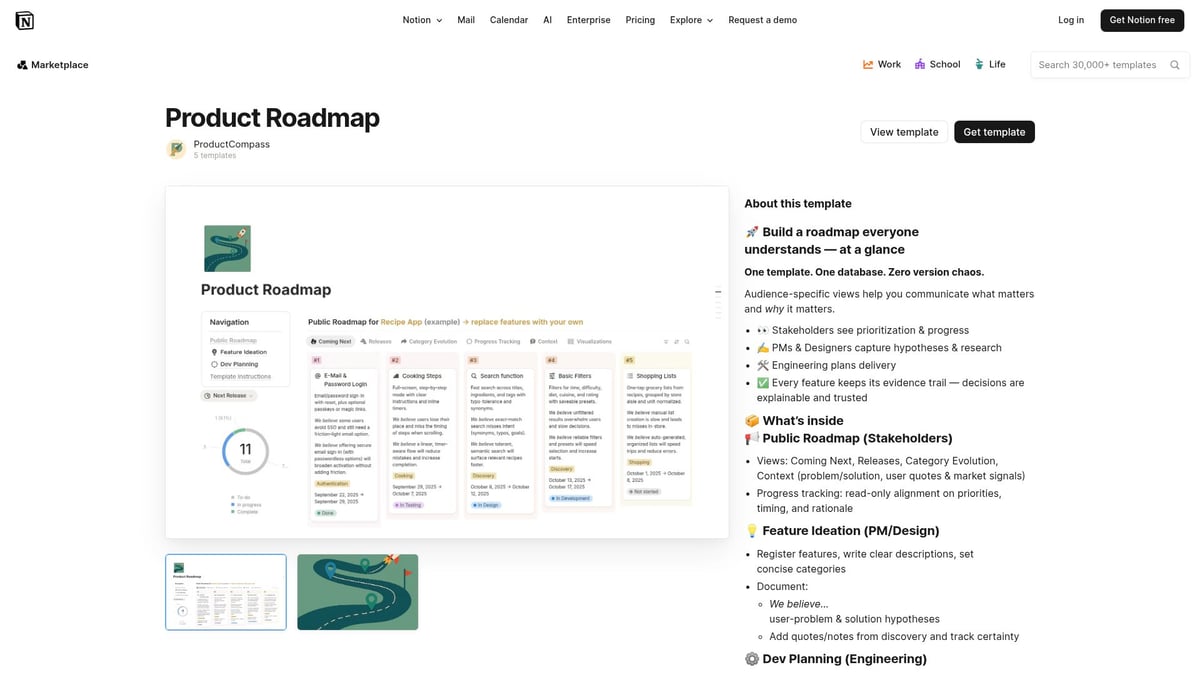
Core Features:
Unique Benefits:
Target Audience: Cross-functional teams, agencies, startups.
Pros:
Cons:
Example: Running an agency with multiple client projects, using the notion roadmap to coordinate teams and timelines.
If you need to balance vision and execution, this template delivers a flexible notion roadmap foundation.
Rippling’s Multi-Product Roadmap is engineered for organizations managing several product lines. This notion roadmap template provides advanced segmentation and stakeholder communication tools.
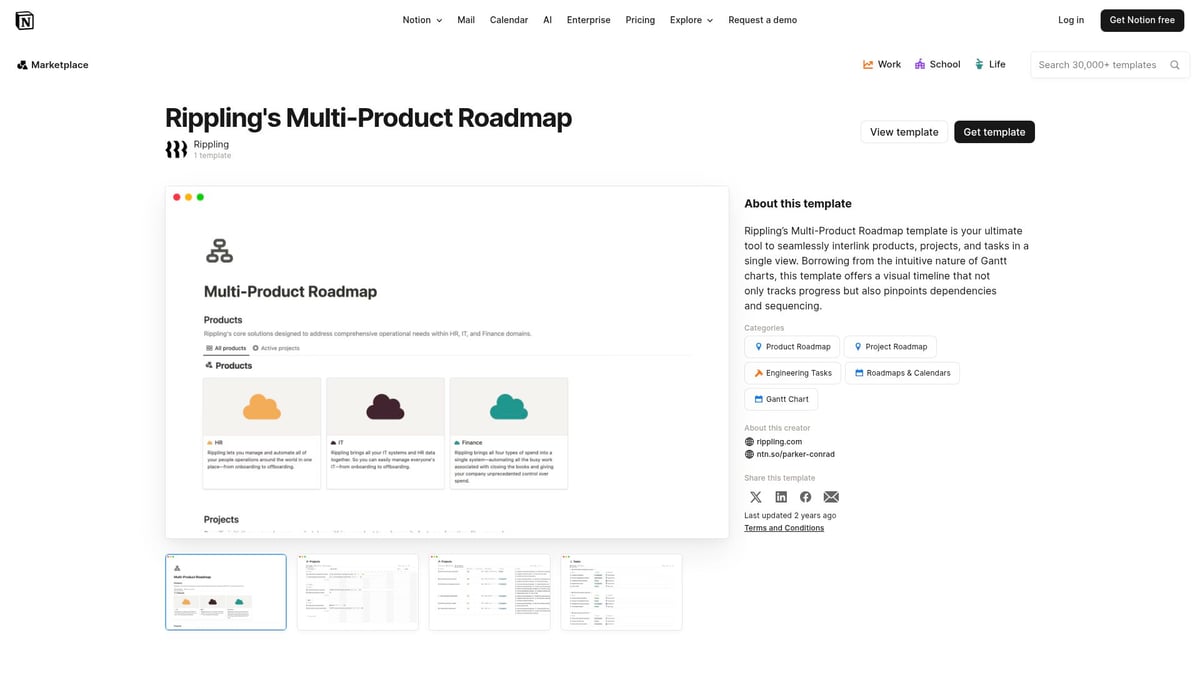
Core Features:
Unique Selling Points:
Target Audience: Enterprises, portfolio managers, large teams.
Pros:
Cons:
Example: Overseeing multiple software products with shared engineering resources, all visualized within a central notion roadmap.
Large organizations will find this template invaluable for orchestrating complex, multi-product strategies.
Summary Table: Notion Roadmap Templates at a Glance
| Template Name | Best For | Key Features | Pricing | Unique Benefit |
|---|---|---|---|---|
| Product Roadmap Planner by Myron | Agile teams, startups | Timeline, Kanban, milestones | Free | Clean UI, drag-and-drop |
| Gantt Chart by mrpugo | Project managers, agencies | Gantt, dependencies, color coding | Free | Visualizes overlaps |
| Product Roadmap Timeline by desbyseb | Product leads, strategists | Timeline, milestones, status | Free | Long-term planning |
| Milestones & Timeline Planner | Entrepreneurs, coordinators | Milestones, timeline, checklists | Free | Lightweight, intuitive |
| Digital Product Roadmap | SaaS, digital products | Backlog, releases, feedback | Free | Feedback integration |
| Product Roadmap by ProductCompass | Cross-functional teams | Kanban, timeline, team assignment | Free | Scalable, customizable |
| Rippling’s Multi-Product Roadmap | Enterprises, large teams | Multi-product, stakeholder views | Free | Advanced segmentation |
For those seeking even more advanced project management features to complement their notion roadmap, consider exploring the Notion Task & Project Manager for additional structure and automation.
Selecting the right notion roadmap template is a strategic decision. Assess your team's needs, test a few options, and choose the template that will drive clarity, alignment, and results throughout your 2026 planning journey.
Unlocking the full value of a notion roadmap requires more than just adopting a template. To drive real results in 2026 planning, you need to tailor, collaborate, integrate, and automate your approach. Here are actionable tips to help you get the most from your chosen notion roadmap template.
Every business has unique needs, so make your notion roadmap truly yours. Start by editing the template’s properties to match your goals and terminology. Add custom fields for priorities, effort estimates, or stakeholders.
Experiment with different views, such as Kanban boards for agile sprints or timeline views for long-term planning. If your process changes, adjust the template structure and automate repetitive steps with Notion’s built-in features.
Iterate often. As your projects evolve, refine your notion roadmap by updating milestones and adjusting workflows. This ensures your roadmap always reflects reality and supports strategic decision-making.
Team collaboration is essential for successful roadmap execution. Assign roles and permissions to control who can edit or comment on your notion roadmap. Use comments and @mentions for real-time feedback and discussion.
Onboarding new team members? Provide a walkthrough of your roadmap’s structure and expectations. Encourage team members to update progress regularly and use shared views for transparency.
Host weekly check-ins or review sessions directly within your notion roadmap. This keeps everyone aligned and fosters accountability as you move toward your 2026 goals.
Enhance your notion roadmap by connecting it to the tools your team already uses. Sync deadlines and milestones with Google Calendar, or send automated updates to Slack channels.
Leverage Notion’s integration capabilities to bring in data from project trackers or CRM platforms. For advanced workflows, explore using Notion’s API or widgets to automate data flow and reporting.
For more on connecting Notion with your existing stack, review Notion's Integration Capabilities. Streamlined integrations boost productivity and ensure your notion roadmap remains the single source of truth.
A high-performing notion roadmap is more than a static plan. Set up notifications and reminders for key deadlines to keep your team on track.
Use progress bars, status tags, or checklist features to visualize completion rates. Build dashboards to summarize weekly or monthly achievements and identify bottlenecks early.
Regular review cycles, such as sprint retrospectives or milestone check-ins, help maintain momentum. Encourage team members to celebrate wins and document lessons learned in your notion roadmap.
Modern planning calls for smart automation. Use Notion AI to auto-generate status reports, summarize project updates, or suggest next steps based on completed tasks.
Automate repetitive updates, such as moving tasks between stages or notifying stakeholders of changes. This reduces manual work and ensures your notion roadmap stays current.
Explore more about AI-powered enhancements in Notion's AI-Powered Tools for Automation. Harnessing automation enables your team to focus on strategy and innovation, not just task management.
Curious about getting started with a notion roadmap or optimizing your current workflow? Here are answers to the most common questions.
Can I use these templates for free?
Yes, all the featured Notion roadmap templates are available at no cost, making them accessible for both individuals and teams.
How do I migrate my existing plans?
You can manually copy content from spreadsheets or other tools into your Notion roadmap. Many templates support easy data import to help streamline this process.
Are templates mobile-friendly?
Absolutely. All Notion roadmap templates are optimized for mobile, so you can view and update your plans on the go.
Quick troubleshooting tips:
For more guidance on onboarding, customizing, or troubleshooting your notion roadmap experience, explore Learn How to Use Notion for step-by-step resources and community support.
As you plan for 2026, having the right Notion roadmap template can make all the difference in keeping your projects organized and your team aligned. We’ve explored the top templates that combine flexibility, collaboration, and powerful features to help you reach your goals faster. If you’re ready to take your Notion setup to the next level, you’ll find even more high-quality templates and resources curated for your needs. Let’s make your planning process smoother and more effective—discover your next favorite tool today by visiting Shop Now.