Digital planning is rapidly reshaping how we manage our weeks, especially as 2026 brings new demands for efficiency. With so many options available, the notion weekly planner template stands out as a game-changer for those seeking better productivity and time management.
This guide will walk you through every step of using and customizing the Notion Weekly Planner Template for 2026. You will discover essential features, advanced customization tips, integration strategies, and proven best practices.
Get ready to streamline your weeks, harness unique Notion features, and transform your organization with a clear, actionable approach.
Staying organized in 2026 means leveraging digital tools that adapt to your workflow. The notion weekly planner template serves as a flexible hub for managing your schedule, tasks, and goals within a single, customizable platform. Unlike static paper planners or basic digital calendars, this template combines dynamic layouts, real-time updates, and seamless integration with other Notion features.
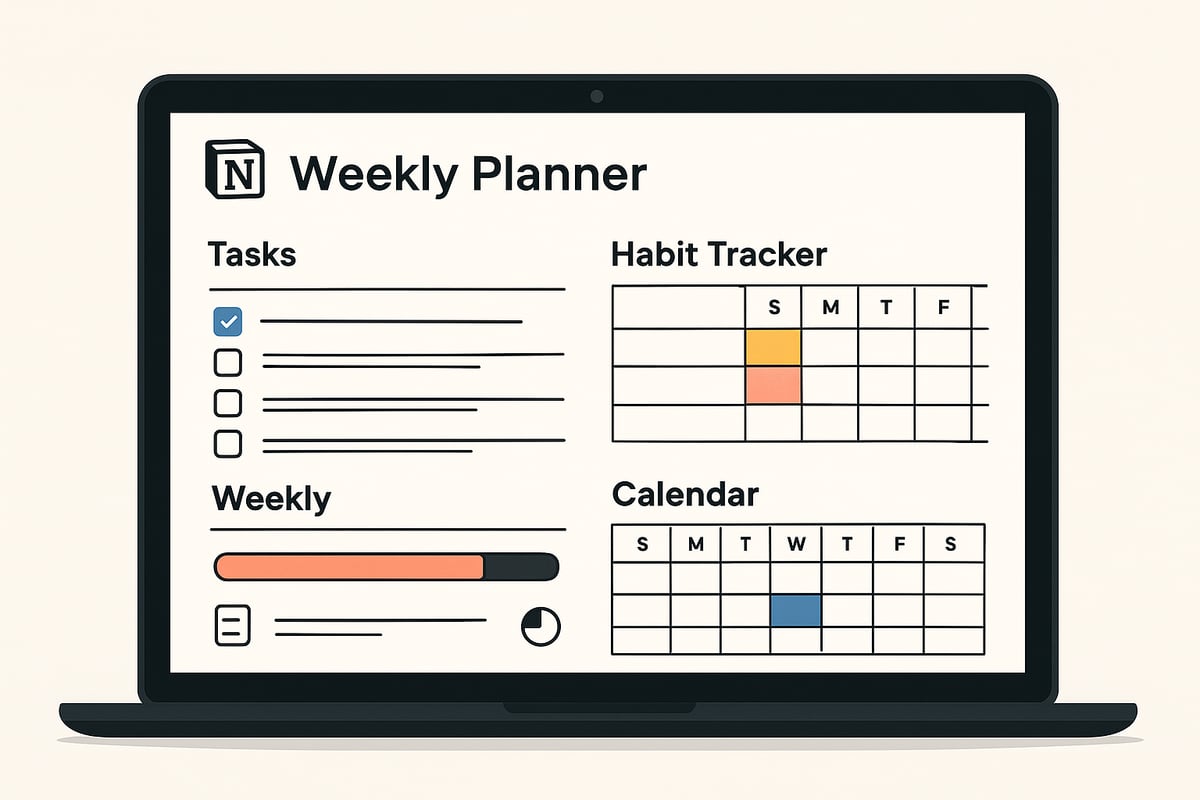
The notion weekly planner template is a pre-designed digital workspace in Notion, created to help users organize tasks, track habits, and plan projects on a weekly basis. Core components often include:
Compared to traditional planners or digital tools like Google Calendar, this template offers unmatched flexibility. Users can rearrange sections, add databases, or adjust layouts to fit personal or professional needs. According to marketplace data, there are now over 28,000 Notion templates focused on personal productivity, highlighting the platform’s adaptability.
| Feature | Notion Weekly Planner | Google Calendar | Paper Planner |
|---|---|---|---|
| Customization | High | Moderate | Low |
| Collaboration | Yes | Limited | No |
| Integration | Extensive | With apps | None |
Using a notion weekly planner template centralizes all your weekly goals, deadlines, and routines in one accessible location. Notion’s integration with databases and reminders means you can automate recurring tasks, link projects, and receive notifications across devices.
This approach boosts productivity by reducing the mental clutter of switching between multiple tools. For example, a student can track assignments and class schedules, while a professional manages team meetings and deliverables—all within the same workspace.
Notion’s popularity saw a significant surge in 2024 and 2025, especially among productivity enthusiasts seeking more control over their digital planning experience. Accessibility on desktop, mobile, and tablet ensures your planner is always within reach, whether you are working remotely or on the go.
The 2026 notion weekly planner template comes packed with advanced features tailored for modern productivity needs. Expect pre-built layouts for each day, comprehensive task and to-do management, and habit or goal tracking sections to visualize progress.
Customizable views—such as calendar, kanban, or simple lists—allow you to adapt the template to your preferred planning style. Embedded widgets and automation options, including Notion AI and built-in reminders, streamline your workflow.
Some templates are free, while others offer premium designs with additional features. For a firsthand look at the variety available, explore the Notion templates collection to find the right fit for your planning style.
The notion weekly planner template is ideal for students, professionals, freelancers, and small business owners who need a centralized system for weekly organization. Teams benefit from its collaborative features, allowing shared access and real-time updates.
Individuals seeking better work-life balance or managing multiple projects will find the template’s flexibility invaluable. For instance, a busy entrepreneur can track business deliverables, personal habits, and important deadlines—all within a single workspace.
Whether you need an academic planner or a business agenda, this template adapts to both personal and professional contexts, making it a versatile tool for anyone aiming to optimize their weekly routine.
Setting up your notion weekly planner template for 2026 can be straightforward and rewarding with the right approach. This guide will walk you through selecting, importing, customizing, and optimizing your planner for maximum productivity and clarity throughout the year.
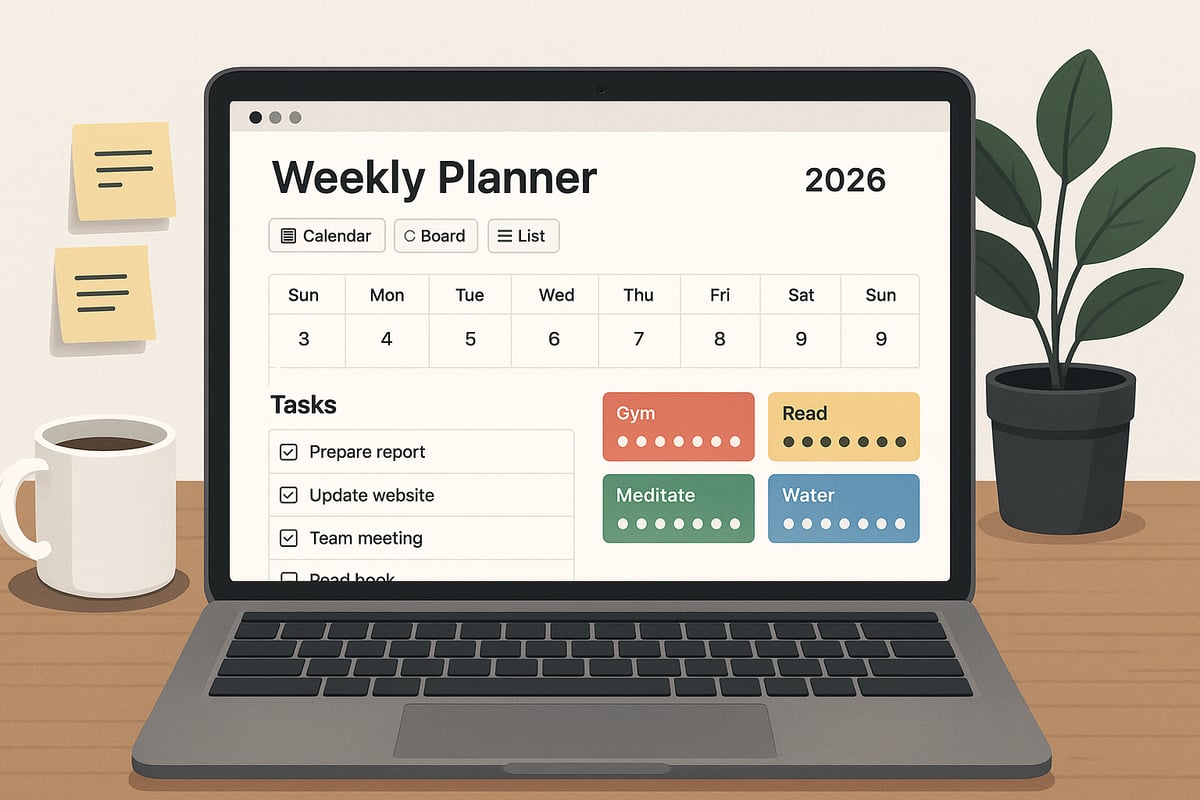
The first step in building your ideal notion weekly planner template is choosing a design that matches your workflow and aesthetic preferences. Notion offers a range of weekly planner templates, including minimalist layouts, color-coded spreads, and even industry-specific options.
When comparing templates, consider:
| Template Name | Layout Style | Features | Cost |
|---|---|---|---|
| Simple Weekly Planner | List/Calendar | Tasks, Habits | Free |
| Aesthetic Weekly Planner | Visual/Colorful | Projects, Reminders | Paid |
For beginners, a simple layout with clear task sections is recommended. Advanced users might prefer planners with embedded databases or automation.
Evaluate templates by previewing their structure, checking for features like habit trackers or project views, and reading user reviews. Select a notion weekly planner template that aligns with your personal or professional needs.
Once you've chosen your notion weekly planner template, duplicating and importing it is simple. Open the template's page, click "Duplicate" in the upper right corner, and the template will copy into your workspace.
For those seeking a comprehensive planner, the 2026 Planner Template offers daily, weekly, and monthly layouts for seamless organization. Whether on desktop or mobile, ensure you're logged in to Notion before duplicating.
If you encounter permission issues, verify that you are using a supported account and have the correct workspace selected. On mobile, use the share menu to duplicate the template. After import, confirm all template sections appear as expected in your workspace.
Personalization is key to making your notion weekly planner template effective for the entire 2026 calendar year. Start by editing days, dates, and week numbers to match 2026.
Add, move, or remove sections based on your needs:
Customize visuals by adding cover photos, icons, and color schemes. For academic users, adjust the planner to align with semester dates. Business professionals may prefer a Monday-start week and project-focused sections.
Align the planner's layout with your workflow, ensuring easy access to recurring tasks and goal progress. A well-customized notion weekly planner template boosts motivation and clarity.
Effective task management is at the core of any successful notion weekly planner template. Begin by creating a database or checklist for weekly tasks, categorizing them by urgency, project, or context.
Tips for organizing tasks:
For weekly sprint planning, teams can assign tasks and monitor progress using shared boards. Apply prioritization frameworks like the Eisenhower Matrix or time-blocking to allocate your energy where it matters most.
Here’s a sample code block for creating a simple checklist in Notion:
- [ ] Review project updates
- [ ] Complete client deliverables
- [ ] Plan next week’s goals
Stay consistent in updating your notion weekly planner template to avoid task overload.
A robust notion weekly planner template includes habit and goal tracking to support personal growth throughout 2026. Set up a dedicated section for habits you want to build, such as reading, exercise, or learning.
Link your weekly goals to daily tasks, creating a clear path to achievement. Use checkboxes, progress bars, or even widgets to visualize progress. Adjust trackers to reflect changing priorities or new resolutions as the year unfolds.
For example, health-focused users might add a hydration tracker and step counter. Visual feedback keeps motivation high and supports lasting habit formation within your notion weekly planner template.
Collaboration features elevate the notion weekly planner template for teams, families, or study groups. Add collaborators by inviting them to your workspace and assigning view, comment, or edit permissions as needed.
Ways to share your planner:
A remote team might use the planner as a weekly meeting agenda, ensuring all members stay aligned on goals and progress. Always review permissions to protect sensitive information.
Collaborative planning fosters accountability and streamlines communication, making your notion weekly planner template a central hub for productivity.
Unlocking the full potential of your notion weekly planner template requires mastering advanced features and customization. As you refine your workflow for 2026, these strategies help you tailor your planner for maximum productivity and seamless organization.
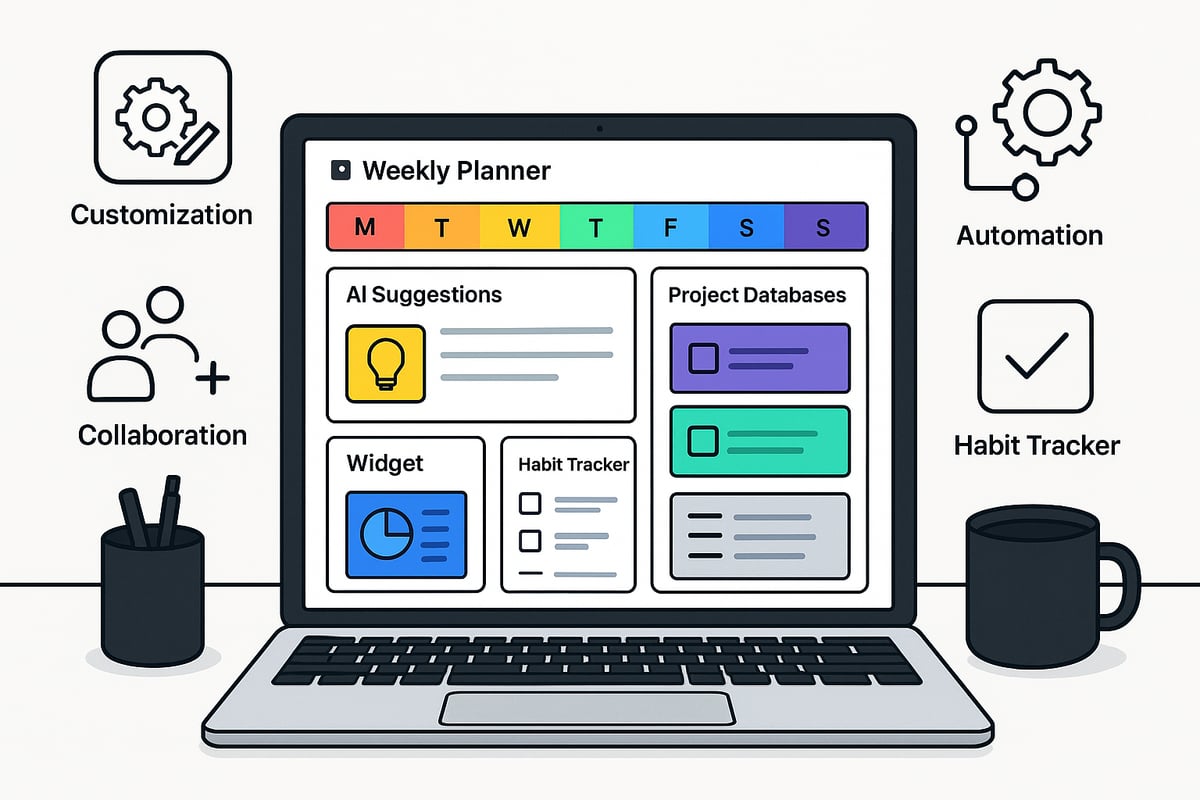
Integrating Notion AI into your notion weekly planner template can dramatically elevate your planning experience. Notion AI assists with rapid task suggestions, generates meeting summaries, and even automates routine checklists for your week.
For example, you can prompt Notion AI to auto-generate a weekly summary based on your completed tasks and notes. Automating recurring tasks, such as weekly reviews or project updates, reduces manual input. Use reminders and scheduled notifications to keep yourself on track.
AI-driven features are especially valuable for 2026, where digital productivity tools are expected to become even more intelligent. By embedding AI into your notion weekly planner template, you streamline repetitive processes and maintain focus on your top priorities.
Enhancing your notion weekly planner template with widgets and integrations adds a new dimension to your workflow. You can embed Google Calendar, Pomodoro timers, weather updates, and countdown clocks directly into your planner.
For instance, including a countdown timer for major deadlines keeps your week visually organized and time-driven. Productivity widgets, such as habit trackers or focus timers, can be seamlessly inserted. To explore more options, visit Notion tools and widgets for a curated list of integrations that boost your planning efficiency.
Embedding external tools helps centralize your work within Notion. This approach ensures your notion weekly planner template remains the hub for all your schedules and productivity routines.
One of the greatest strengths of the notion weekly planner template is its database functionality. By linking databases, you can connect weekly tasks to larger projects, notes, or even meeting records.
Set up a master project database and reference it from your weekly planner. This allows you to see how daily and weekly tasks contribute to broader goals. Freelancers and agencies benefit from this structure by keeping client deliverables, deadlines, and notes interconnected.
Using relational databases within your notion weekly planner template not only enhances organization but also ensures that nothing falls through the cracks. Cross-referencing data keeps your planning system robust and scalable.
Personalizing your notion weekly planner template improves both usability and motivation. Start by selecting custom icons, cover images, and color schemes that reflect your style or branding.
Experiment with different views such as gallery, kanban, or timeline to match your planning preferences. Minimalist layouts suit those who value simplicity, while vibrant themes may inspire creativity and engagement. Data from the Notion marketplace shows that aesthetic templates are increasingly popular among users in 2026.
Consistent customization makes your notion weekly planner template inviting and easy to navigate, ultimately supporting your productivity goals.
As your notion weekly planner template grows more complex, you may encounter issues like lag, sync errors, or template glitches. Prevent these by regularly optimizing your databases and archiving old items to reduce clutter.
If you notice slow load times, try splitting large databases or updating your Notion app. Keep your template organized by reviewing and streamlining sections you no longer use. Maintaining a smooth and efficient planner ensures that your workflow remains uninterrupted.
By proactively troubleshooting, you guarantee that your notion weekly planner template remains a reliable tool for your weekly organization, no matter how ambitious your plans become.
Seamless integration is central to unlocking the full potential of your notion weekly planner template. By connecting your weekly workflow to other Notion tools and templates, you can build a holistic productivity system that adapts as your needs evolve in 2026.

The true power of the notion weekly planner template lies in its ability to link with other Notion templates. Imagine syncing your weekly tasks with a yearly overview or a comprehensive 12-week plan. By integrating the 12-Week Planner 2026 Template, you can align your weekly goals with quarterly objectives, ensuring long-term progress.
You might also connect your weekly planner to a 2026 Yearly Planner Template by Rodro for annual tracking. This layered approach creates a second brain in Notion, making navigation between short-term and long-term plans effortless.
Linking your notion weekly planner template with digital calendars such as Google Calendar or Apple Calendar streamlines meeting schedules and task deadlines. Although Notion does not offer native two-way sync, you can use integrations to import key events or deadlines, keeping your planner current across platforms.
Automating imports and exports reduces manual updates. For instance, set up recurring reminders or sync important deadlines, ensuring you never miss a critical date. This unified approach simplifies digital planning and keeps every aspect of your week in focus.
Maximize efficiency by automating repetitive routines within your notion weekly planner template. Tools like Zapier can auto-create weekly tasks from your emails or other apps, reducing manual input. Use Notion’s built-in database relations to link tasks, notes, and projects for a streamlined workflow.
Consider setting up automations for weekly reviews or status updates. Advanced users often leverage these integrations to handle recurring checklists, freeing up time for deep work. A well-integrated planner supports you, not the other way around.
Consistency is the backbone of an effective notion weekly planner template system. Establish clear naming conventions, tags, and database structures across all your templates. Regularly review and update your planner, ensuring it reflects your goals for 2026.
Embed a weekly review checklist directly within your template to foster ongoing improvement. This habit helps you catch bottlenecks, celebrate wins, and adapt your system as your priorities shift. Maintaining order in your workspace guarantees long-term productivity and clarity.
Mastering your notion weekly planner template requires more than just setup. To truly unlock its potential in 2026, apply proven strategies, personalize your approach, and make consistency a habit. Explore these expert tips for getting the most from your digital planning routine.
Effective time management starts with a structured workflow inside your notion weekly planner template. Consider using time-blocking to assign focused work periods or the Pomodoro technique for breaking tasks into manageable intervals. The Eisenhower Matrix can help you prioritize by urgency and importance.
Many users report a boost in productivity when combining these methods with their digital planners. For even more detailed daily organization, consider pairing your weekly setup with a Notion daily planner template to bridge weekly goals and daily execution.
The notion weekly planner template is highly adaptable, making it suitable for a range of users. Students can customize academic schedules, assignment trackers, and exam countdowns. Remote professionals might prefer business agendas, meeting notes, and project timelines. Creatives can add content calendars and brainstorming spaces.
Remember, one template does not fit all. Tailor layouts, sections, and views to match your unique routine. For advanced customization techniques, explore Learn Notion best practices for expert-led guidance on template optimization.
Consistency is key for lasting results with your notion weekly planner template. Add motivational quotes at the top of your planner or set up visual rewards, like digital badges for completed weeks. Progress bars or streak trackers can help maintain momentum.
Use built-in reminders and notifications to keep your planning habit on track. Understanding the psychology of habit formation can turn your digital planner into a reliable tool for personal growth.
Regularly reviewing your notion weekly planner template ensures it evolves with your goals. Schedule weekly and monthly check-ins to assess what is working and what needs adjustment. End-of-week reflections provide insight into progress and challenges.
Adapt your template as your life and work evolve. Embracing change is essential for sustained productivity and long-term organizational success.
As you’ve seen, a well-structured weekly planner in Notion can truly transform how you organize your days, streamline tasks, and reach your goals in 2026. Whether you’re a student, professional, or entrepreneur, having the right template makes all the difference. If you’re ready to put these strategies into action and want access to the best Notion templates, tools, and tutorials, I recommend exploring Notionland’s curated collection. You’ll find everything you need to make your weekly planning seamless and effective. Take the next step toward a more organized and productive year—Shop Now