Digital planning has transformed how we organize our lives, and Notion stands out as the top platform for 2026. In today’s fast-paced world, staying on top of tasks and goals is more challenging than ever. This article explores the 10 best weekly planner notion templates designed to help you optimize productivity and achieve balance. You will discover each template’s features, pricing, pros and cons, and ideal use cases. Ready to streamline your workflow? Dive in to find the perfect solution that matches your needs and unlocks your most productive year yet.
Digital planning has experienced a remarkable transformation in recent years. As our lives become increasingly fast-paced and interconnected, professionals, students, and productivity enthusiasts are searching for smarter solutions. Weekly planner notion templates have emerged as a central tool, allowing users to streamline their workflows and manage both work and personal commitments with ease.
The core advantage of weekly planner notion templates lies in their ability to provide a balanced view of tasks, projects, and goals. Digital planners tend to boost productivity and reduce stress by offering a clear overview of priorities. With a weekly structure, users can batch similar tasks, set achievable milestones, and avoid the pitfalls of scattered to-do lists or forgotten deadlines.
Notion templates have become preferred because of their exceptional flexibility. Users can customize layouts, integrate databases, and collaborate with teammates in real time. Compared to traditional paper planners, weekly planner notion templates offer superior adaptability, instant updates, and seamless access from any device. For those seeking inspiration or ready-made options, curated collections like Notion weekly planner templates provide a wide range of styles and features to suit every workflow.
The shift toward hybrid work, AI-assisted planning, and mobile-first tools is shaping how people stay organized in 2026. Weekly planner notion templates address common pain points such as missed deadlines or lack of overview, empowering users to take control of their schedules. Real-world examples show that teams using these templates report fewer bottlenecks and more consistent progress toward their goals. With the right weekly planner notion templates, anyone can unlock a more productive, less stressful year.
Staying organized in 2026 means adopting tools that match the pace and complexity of modern life. Weekly planner notion templates have become essential for professionals, students, and anyone seeking to optimize their workflow. This curated list brings together the top 10 templates, each selected for its unique features, design, and suitability for a range of planning styles.
Whether you need advanced task management, beautiful aesthetics, or a minimalist approach, weekly planner notion templates offer options for every preference and budget. We evaluated each template based on user ratings, innovative features, design quality, integration potential, and overall value for 2026 productivity.
To help you quickly compare, here is a summary of the leading weekly planner notion templates:
Template Name | Pricing | Key Features | Best For | Unique Benefit |
|---|---|---|---|---|
Notionland Weekly Planner | Free/Premium | Tasks, habits, goals, widgets | Power users, teams | Exclusive club access |
Weekly Dashboard + Task Database by Sia | Paid | Project/task DBs, habit tracker | Project managers | Seamless database integration |
Aesthetic Weekly Planner by Ines | Free | Visual overview, to-dos | Students, creatives | Hand-drawn icons |
Weekly Planner by JoyLoveDigital | Free | Goals, calendar, daily breakdowns | Families, professionals | Productivity-driven design |
Minimalist Weekly Planner ver.1 by Maro Creations | Free | Clean, focused, minimal | Minimalists | Distraction-free layout |
Weekly To-Do List by Bárbara Cohen | Free | To-dos, priorities, notes | Task-focused users | Action-oriented interface |
Time Blocking + Weekly Themed Schedule by Clarity Mastery | Free | Time blocking, themes | Entrepreneurs | Thematic scheduling |
Organised and Colourful Notion Weekly Planner by Ayelet | Free | Goals, events, icons | Visual planners | Hand-drawn illustrations |
Weekly Matrix Planner (Free) | Free | Matrix view, hour/day | Complex schedules | Granular time tracking |
Weekly Planner by The Quadra Nook | Free | Aesthetic, goals, scheduler | Beginners | Balanced design |
The Notionland Weekly Planner stands out among weekly planner notion templates for its blend of high-quality curation and flexibility. Available in both free and premium versions, it caters to a wide range of users looking to streamline task management, habit tracking, and goal setting.
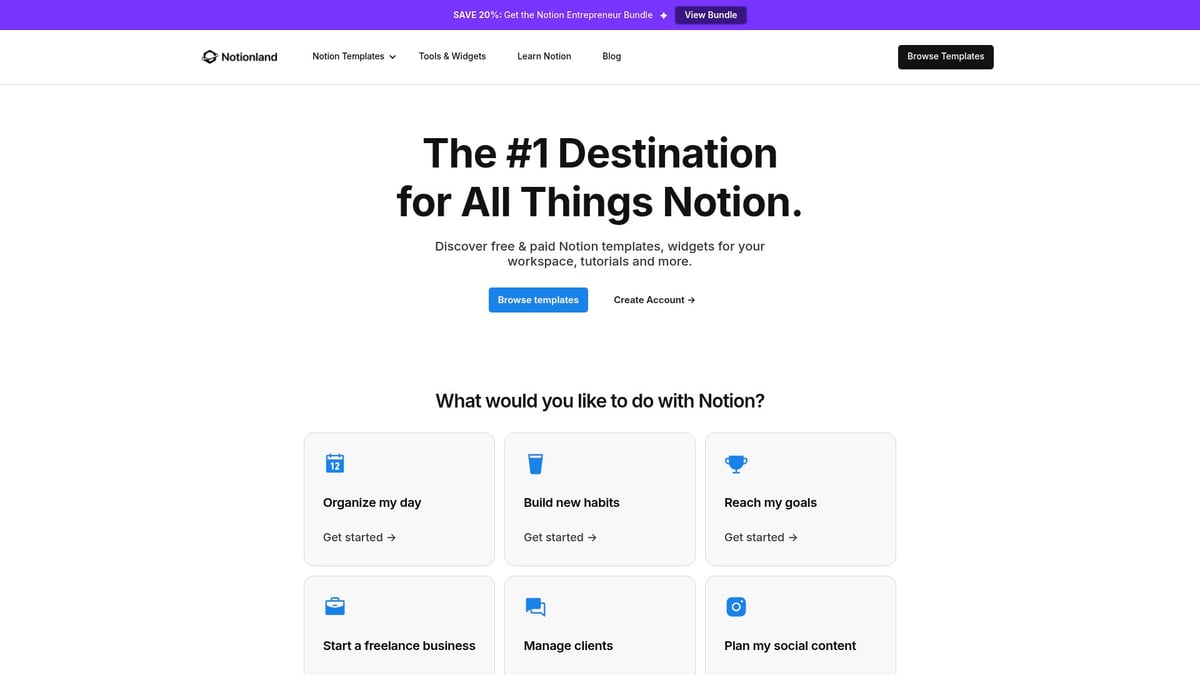
With customizable layouts and seamless integration with other Notion databases, this template adapts easily to personal or team workflows. Notionland Weekly Planner includes exclusive widgets and regular updates, ensuring your planning system evolves with your needs in 2026.
A key benefit is access to the Notionland Club, where members receive perks such as premium templates, curated resources, and community support. This makes it an excellent choice for Notion power users, professionals, students, and creators who want to elevate their planning experience.
Ideal use cases include personal productivity, team planning, and content scheduling. The extensive template gallery and strong community backing add even more value. However, some advanced features and templates require membership or additional purchase, which may not suit every budget.
If you want a versatile, feature-rich solution, this is one of the top weekly planner notion templates to consider for 2026.
Among weekly planner notion templates, the Weekly Dashboard + Task Database by Sia is a powerful option for professionals managing complex projects. This paid template brings together master task, project, and tag databases, allowing for robust organization and detailed tracking.
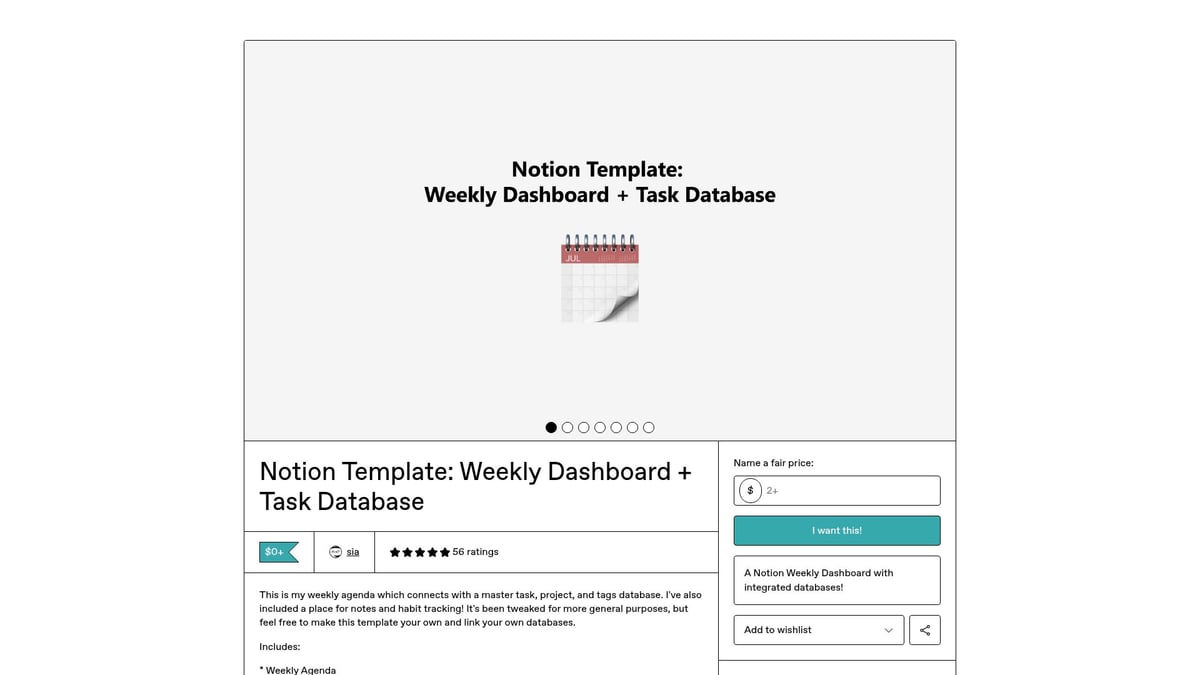
The all-in-one dashboard features a habit tracker, notes section, and a comprehensive weekly agenda. Its seamless integration with master databases means you can link tasks across multiple projects and maintain a high-level overview without losing detail.
Key benefits include a single source of truth for tasks and habits, making it easier to prioritize and delegate. The template supports collaboration, making it ideal for team project management and tracking progress in real time.
Designed for those who handle multifaceted workflows, this template excels in project management and team collaboration scenarios. The learning curve may be steeper for Notion beginners, but the depth of organization is unmatched.
If your workflow demands granular control, this is one of the most advanced weekly planner notion templates available.
The Aesthetic Weekly Planner by Ines offers a refreshing take on weekly planner notion templates for users who value design as much as functionality. This free template features a visually engaging weekly overview, intuitive to-do lists, and a habit tracker, all wrapped in customizable themes.
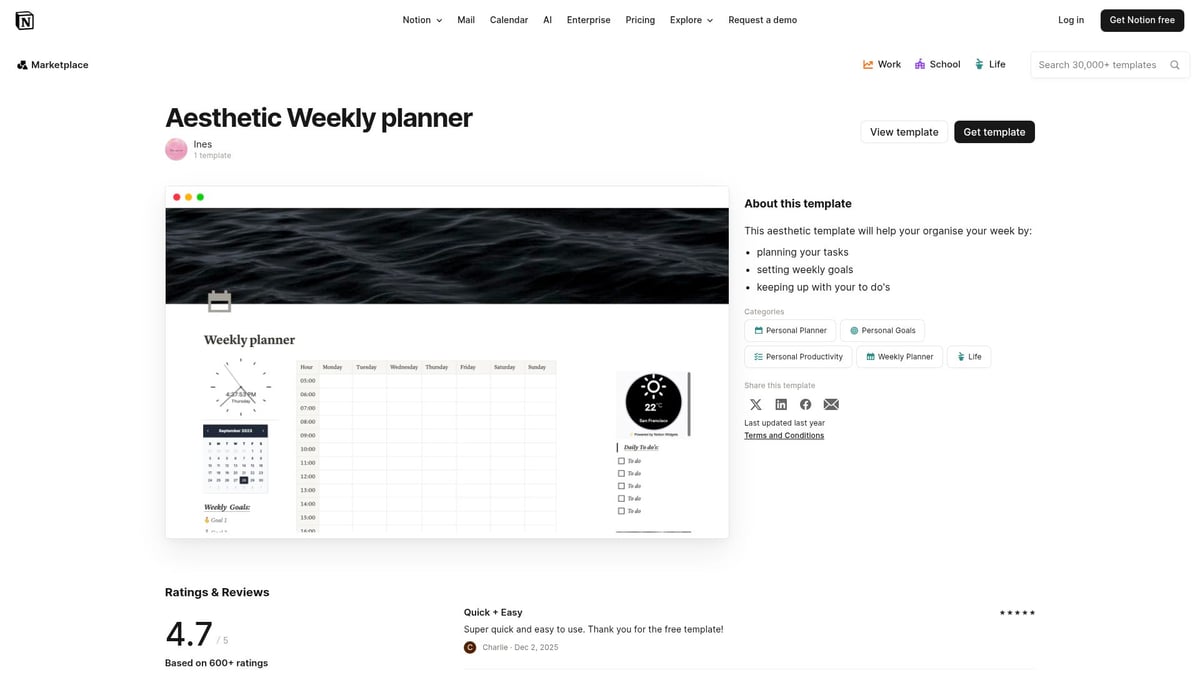
Custom hand-drawn icons and a modern aesthetic set this template apart, making planning feel less like a chore and more like a creative ritual. The interface is designed for students, creatives, and design enthusiasts seeking motivation from a beautiful workspace.
Its ideal use cases include academic planning, creative project management, and personal development tracking. The template is easy to use and quick to set up, making it accessible even for Notion newcomers.
While it excels in visual appeal, it may lack some advanced features found in other weekly planner notion templates. Still, for those who want planning to be inspiring, this is a standout choice.
If you are searching for weekly planner notion templates that balance structure with flexibility, the Weekly Planner by JoyLoveDigital deserves attention. This free template features a straightforward task manager, weekly goal setting, and daily breakdowns, all integrated with a calendar view.
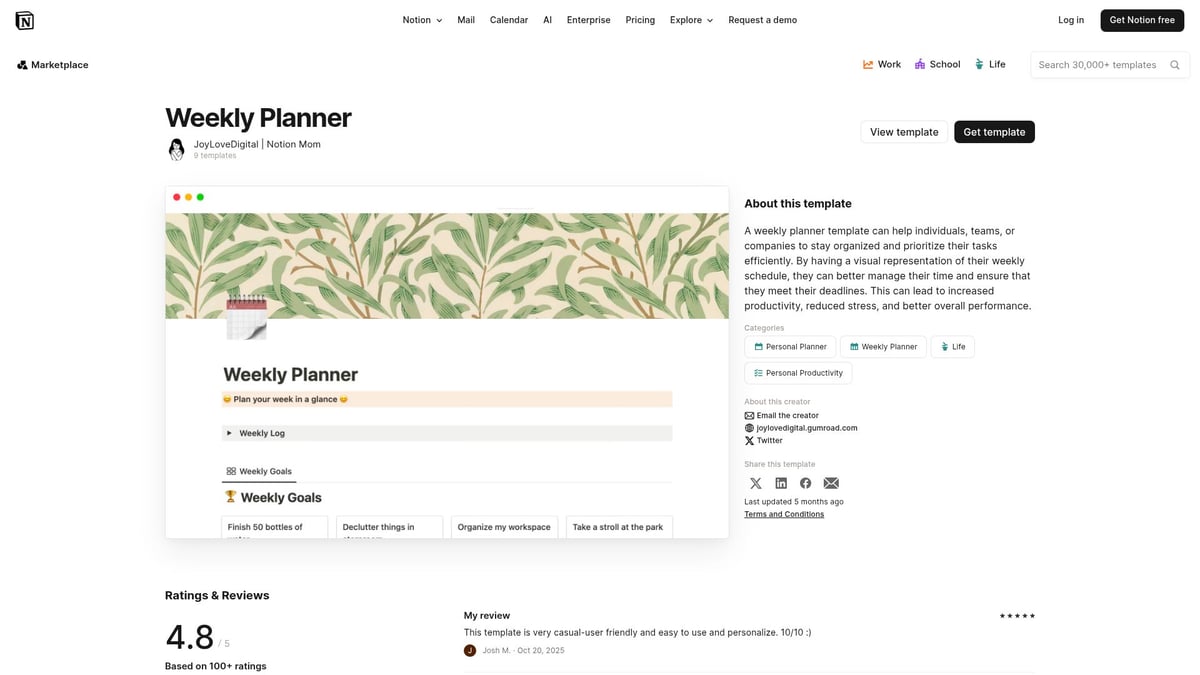
Created by a productivity-focused designer, it is especially suitable for busy parents, professionals, and multitaskers who need to juggle family and work commitments. The navigation is simple, and the practical layout ensures you can quickly adapt it to suit your needs.
Ideal for family scheduling and work-life balance, this template helps you stay on top of daily responsibilities while maintaining a clear weekly overview. The design encourages consistent use without overwhelming the user.
While it lacks sophisticated automation, its simplicity is a strength for those who want to avoid complexity. For practical, everyday planning, this is one of the most reliable weekly planner notion templates.
For those who believe less is more, the Minimalist Weekly Planner ver.1 by Maro Creations exemplifies the minimalist approach among weekly planner notion templates. This free template features a clean layout, daily task lists, weekly focus sections, and minimal distractions.
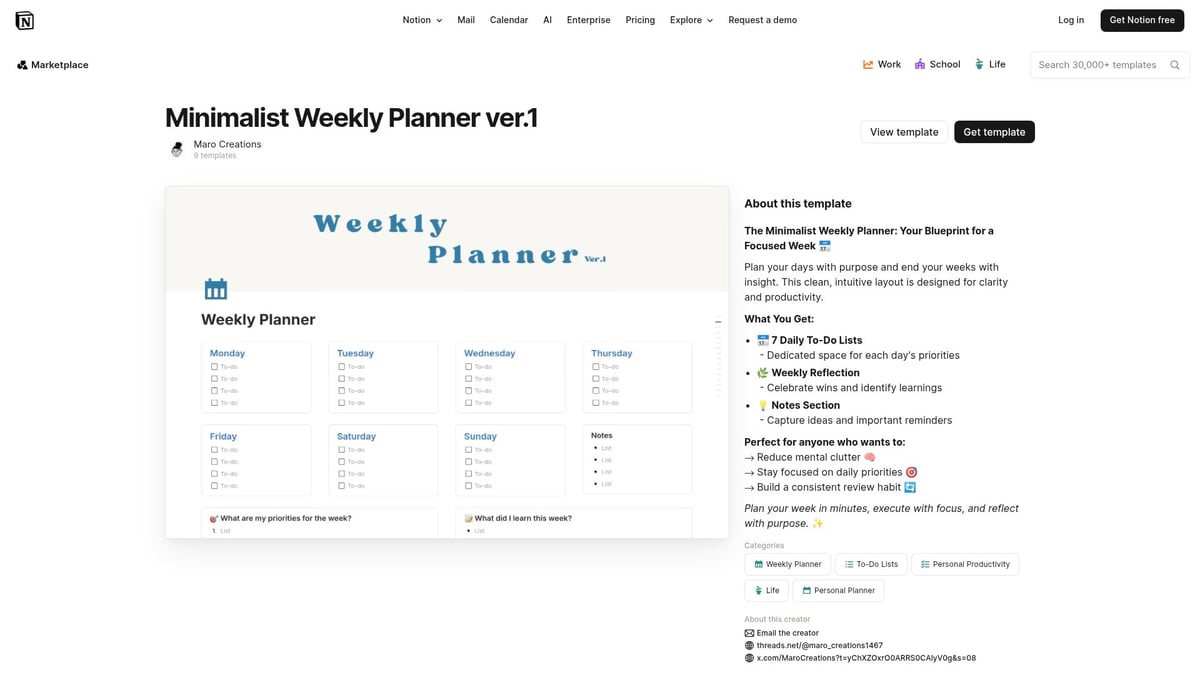
The design philosophy centers on clarity and focus, making it perfect for productivity purists and anyone seeking a distraction-free environment. Its layout is easy to customize and takes just minutes to set up, ensuring you spend more time achieving goals and less time configuring your planner.
Personal productivity and distraction-free planning are its main strengths. The template’s simplicity encourages users to prioritize tasks and maintain momentum throughout the week.
While it may not have the advanced features of other weekly planner notion templates, its streamlined structure is ideal for those who want a straightforward solution. This is an excellent starting point for anyone new to digital planning or seeking a fresh, uncluttered workspace.
For users focused on actionable tasks, the Weekly To-Do List by Bárbara Cohen is a standout among weekly planner notion templates. This free template is designed to streamline your weekly workflow with prioritized to-do lists, a notes section, and a progress tracker.

Its core appeal lies in its straightforward interface and efficient task management system. The template is tailored for professionals and students who need to batch assignments or track multiple responsibilities without unnecessary complexity.
Ideal use cases include assignment tracking and task batching, helping you focus on what matters most each week. The notes section allows for quick reminders or reflections, increasing its utility for busy schedules.
While it lacks advanced project management features, it excels in simplicity and speed. For those who want to keep their planning process lean and effective, this is one of the most practical weekly planner notion templates to try.
Time blocking is a proven productivity technique, and the Time Blocking + Weekly Themed Schedule by Clarity Mastery brings it to the forefront of weekly planner notion templates. This free template combines color-coded schedules, theme days, and productivity tracking to help users visualize how they spend their time.
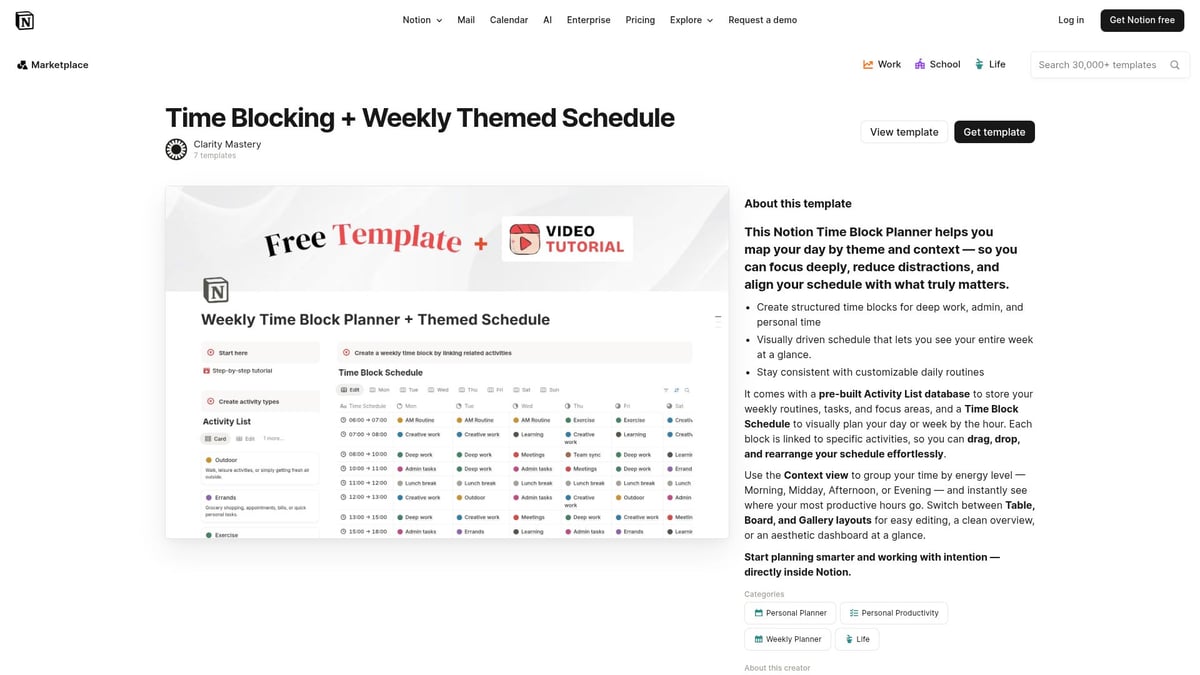
Entrepreneurs, freelancers, and remote workers will benefit from deep work scheduling and routine optimization. The template’s visual approach makes it easier to allocate time for focused tasks and reduce context switching.
The unique selling point is its combination of time blocking with thematic planning, allowing you to dedicate specific days to certain types of work. This structure supports habit formation and consistent productivity.
While it requires discipline to maintain, the clarity and focus it provides make it one of the most effective weekly planner notion templates for those seeking better time management in 2026.
The Organised and Colourful Notion Weekly Planner by Ayelet brings a vibrant touch to weekly planner notion templates. This free template features weekly goals, a habit tracker, event planner, task manager, and custom icons, all enhanced by hand-drawn illustrations.
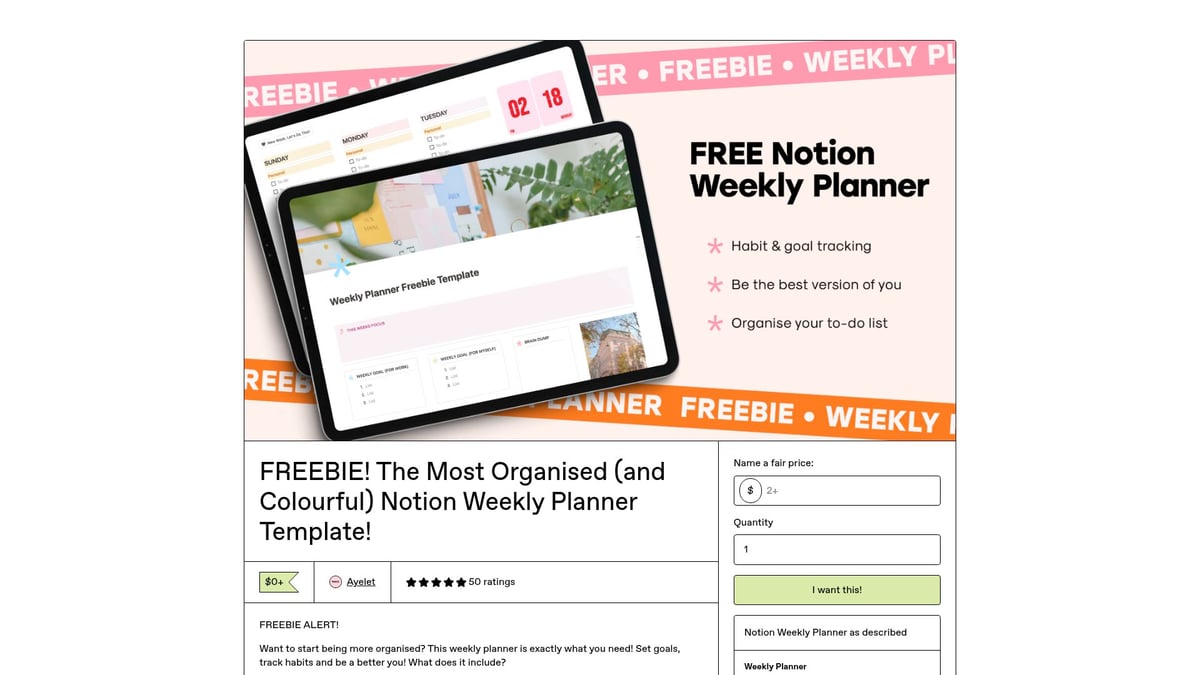
Visual learners and creative planners will appreciate the engaging design and high level of customizability. The template is ideal for event planning, personal development tracking, or anyone who finds motivation in a colorful workspace.
Its versatile structure allows users to adapt the template to a variety of needs. The engaging visuals encourage regular use, helping users stay on top of their weekly commitments.
While the abundance of features and visuals may feel overwhelming to minimalists, it stands out among weekly planner notion templates for those who thrive in dynamic and inspiring environments.
For users with demanding and complex schedules, the Weekly Matrix Planner is a unique entry among weekly planner notion templates. This free template offers a matrix view organized by day and hour, providing a comprehensive weekly overview.
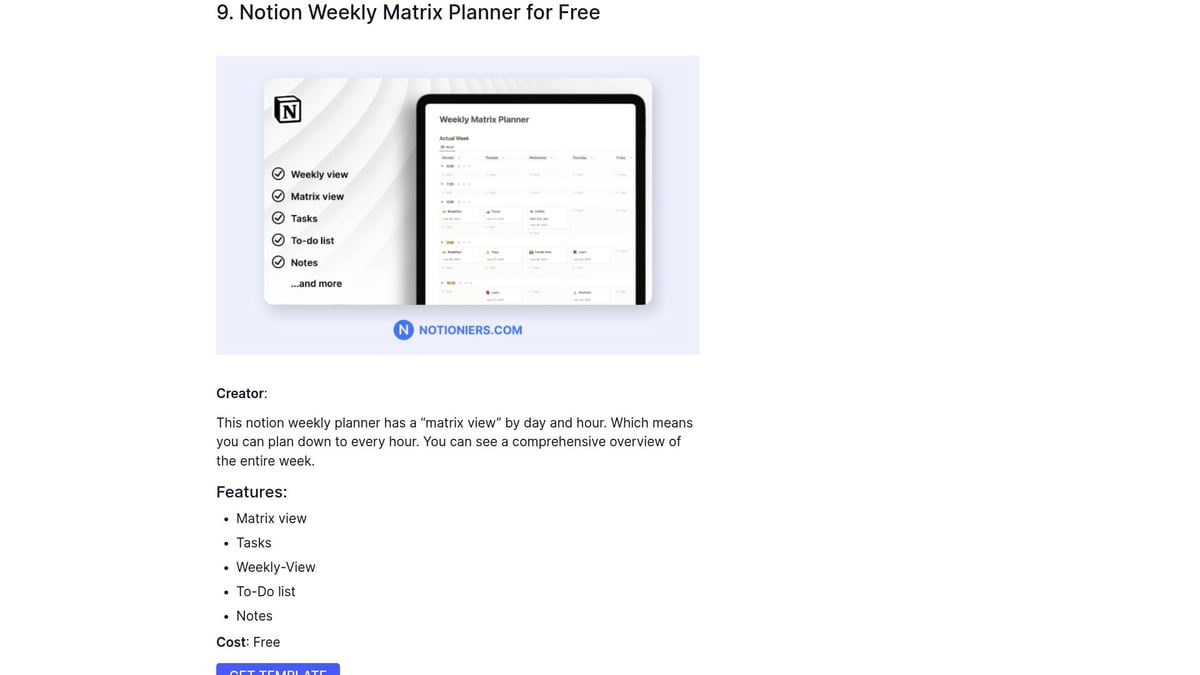
The granular planning and time tracking features are particularly suited for users who need to audit their time or manage overlapping commitments. With to-do lists and notes built in, the template supports detailed scheduling and reflection.
Its matrix layout maximizes visibility, making it easy to spot gaps or bottlenecks in your week. This is especially useful for professionals, students, or anyone balancing multiple projects.
While its complexity may be daunting for basic users, it offers unmatched detail for those who require an advanced approach. Among weekly planner notion templates, this one is perfect for time trackers and busy professionals.
The Weekly Planner by The Quadra Nook offers a harmonious blend of functionality and aesthetics within weekly planner notion templates. This free template features a visually pleasing design, weekly goals, daily scheduler, and task lists, making it accessible for beginners and productivity enthusiasts alike.
It is designed to help users set and track goals, build habits, and organize daily tasks with minimal friction. The onboarding process is straightforward, making it ideal for those new to Notion or digital planning.
The template excels in balancing style with usability. While it may have some customization limitations, its intuitive structure makes it easy to maintain consistency throughout the week.
If you are looking for an entry point into weekly planner notion templates that combine elegance with practical features, this is a strong contender for 2026.
For those seeking even more variety or combined planning options, explore Notion Productivity Planners, which offers a curated collection of daily, weekly, and monthly templates to further enhance your productivity journey.
Selecting the best weekly planner notion templates starts with understanding your unique workflow. Consider how you structure your week, the types of tasks you manage, and your preferred level of detail. Some templates focus on simplicity, while others offer robust project management features or habit trackers.
Design is equally important. Do you thrive with minimalist layouts, or do visual elements boost your motivation? Assess your need for customization and decide if you prefer a ready-to-use template or one you can tailor extensively. Budget is also a key factor, as some weekly planner notion templates offer free versions, while others require a premium purchase.
Start by mapping out your workflow. Do you juggle multiple projects, or is your focus more on personal tasks and routines? Weekly planner notion templates vary in complexity, so matching the template to your schedule is critical.
Here’s a quick comparison table to guide your decision:
Criteria | Minimalist Users | Power Users | Visual Planners |
|---|---|---|---|
Layout | Simple, clean | Feature-rich | Colorful, illustrative |
Customization | Basic | Extensive | Moderate |
Integration | Limited | High | Moderate |
The right template should support your goals without overwhelming you. If you’re a student, look for academic-focused layouts. Professionals may benefit from templates with integration features and advanced tracking.
Integration is a major advantage of Notion. Weekly planner notion templates that connect with your existing Notion databases save time and reduce duplication. Look for templates that allow seamless linking to calendars, project boards, or note-taking pages.
Customization is another essential aspect. The ability to tweak layouts, add widgets, or adjust color schemes ensures your planner evolves as your needs change. Templates that offer recurring task automation or habit trackers can further streamline your planning process.
If you’re new to Notion, consider visiting Learn how to use Notion for step-by-step guidance on setting up and personalizing your template.
When evaluating weekly planner notion templates, explore trial versions or demos before committing. Read user reviews and check how frequently the template is updated—active maintenance signals long-term reliability.
Match templates to your profile. For example, entrepreneurs may prioritize integration and automation, while creatives might seek visually engaging layouts. If you need a planner that adapts to both weekly, monthly, and daily needs, explore options like the Ultimate Planner - Weekly, Monthly & Daily Planner for maximum flexibility.
Consider scalability as well. The best template should grow with your responsibilities and goals, not limit them.
Common pitfalls include overcomplicating your setup or underutilizing features. Stick to weekly planner notion templates that align with your real needs, not just what looks impressive. Too many features can create clutter and reduce productivity.
Successful users often start simple, then expand as they master new tools. Anecdotal evidence shows that thoughtful adoption leads to improved organization and less stress. Regularly review your setup to ensure your planner continues to serve your evolving workflow.
Staying organized in 2026 requires more than just setting tasks. Weekly planner notion templates can transform your workflow, but unlocking their full potential takes intentional effort. When used effectively, these templates help you achieve goals, maintain balance, and stay ahead of deadlines.
To make the most of weekly planner notion templates, start with regular reviews. Schedule time each week to update tasks, reflect on progress, and adjust priorities. Setting realistic goals is crucial—break large projects into manageable steps and use reminders to stay on track.
Review your planner at a set time weekly.
Use clear labels for priorities.
Set achievable targets and celebrate small wins.
These habits ensure your planner remains a reliable tool, not just a static document.
For a holistic approach, combine weekly planner notion templates with daily and monthly planning. This layered method gives you both detailed and big-picture perspectives, helping you allocate time wisely. Linking your weekly view to a Notion daily planner template enables seamless transitions between tasks and goals, ensuring nothing slips through the cracks.
Automate recurring tasks using template buttons and linked databases. This not only reduces manual entry but also keeps your workflow consistent. Integrating these features supports a smoother, more efficient planning experience.
Weekly planner notion templates are powerful for habit tracking and progress visualization. Use built-in trackers to monitor routines, and visualize achievements with charts or progress bars. Accountability increases when you can see your progress at a glance.
Incorporate a Notion productivity dashboard to centralize your goals, habits, and metrics. This approach encourages regular check-ins and helps identify patterns that support better work-life balance. By analyzing trends, you can adjust strategies, overcome procrastination, and stay committed to your objectives.
Now that you’ve explored the top weekly planner Notion templates for 2026 and seen how they can transform your productivity, why not take the next step in organizing your year? Whether you’re seeking customizable layouts, seamless integrations, or a supportive community, you’ll find the right tools to match your workflow and goals. Let’s make this your most organized and productive year yet—explore even more Notion solutions to streamline your planning and achieve real results.
Shop Now