Imagine planning your 2026 dream adventure with zero stress and complete clarity. Many travelers know the frustration of juggling scattered notes, forgotten bookings, and missed experiences.
What if you could bring every detail together in one place? The notion trip planner transforms travel chaos into seamless organization, letting you centralize itineraries, bookings, budgets, and memories.
This step-by-step guide shows how to build, customize, and optimize your own notion trip planner for effortless travel. You will learn Notion basics, discover essential trip planner features, set up your workspace, explore top templates, and master pro tips for your best journeys yet.
Travel planning has transformed rapidly. Traditional methods like spreadsheets, paper notebooks, and scattered apps often lead to confusion, missed details, and unnecessary stress. In 2026, travelers want smarter solutions. The notion trip planner emerges as a modern answer, offering clarity, organization, and efficiency for every step of your journey.
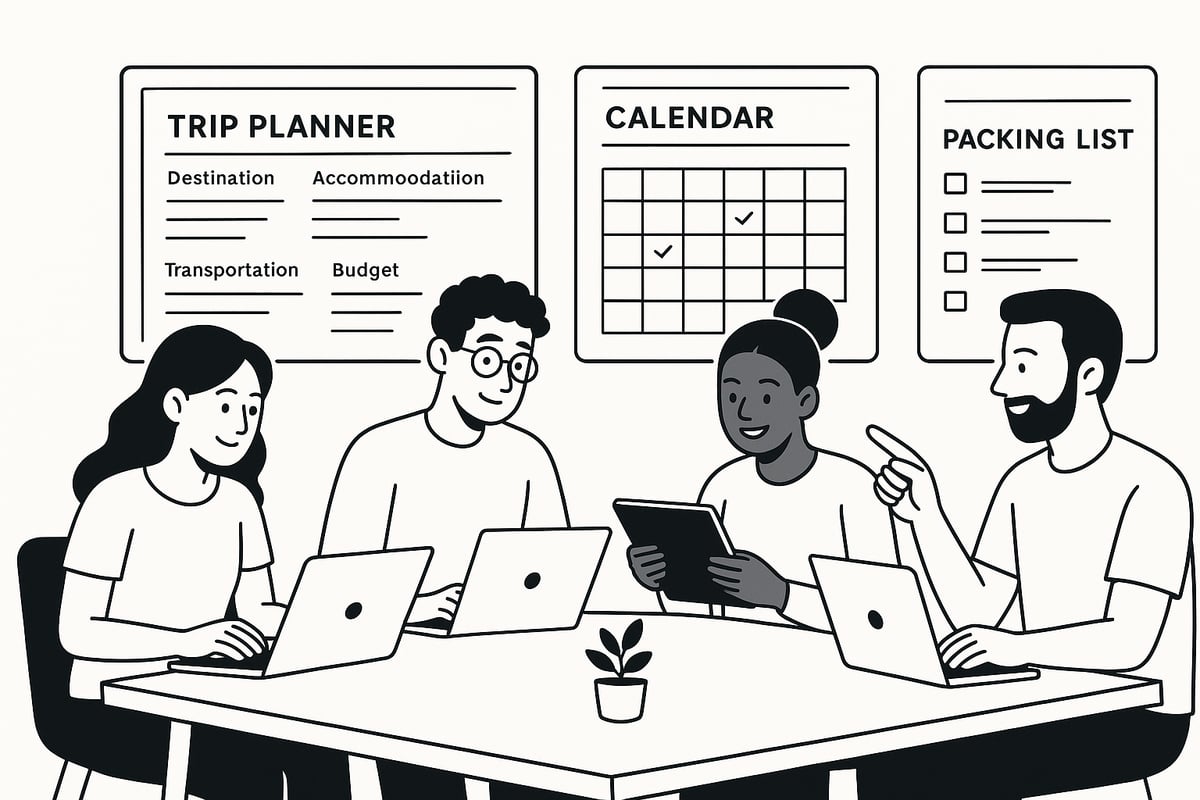
What makes Notion stand out? Unlike traditional tools, Notion acts as an all-in-one workspace. You can build, view, and edit your entire travel plan in one place, whether you are at home or on the go. The notion trip planner supports real-time collaboration, so friends and family can contribute seamlessly. With cross-device syncing, your itinerary is always up to date, whether you are using a laptop in a café or a phone at the airport.
The flexibility of a notion trip planner is unmatched. Solo travelers appreciate the ability to customize itineraries and budgets. Families can organize complex schedules, share packing lists, and store emergency contacts. Groups benefit from shared databases, voting on activities, and tracking RSVPs. Business travelers and digital nomads use Notion to balance meetings, remote work, and personal time, all within a structured digital hub.
Essential features make the notion trip planner a powerful tool. Build interactive databases for flights, hotels, and activities. Use calendars to visualize your journey at a glance. Checklists ensure you never forget important steps, from visa applications to last-minute bookings. Document storage keeps passports, insurance, and confirmations secure and accessible, even offline.
Consider this: digital planners have become the default for most travelers, replacing the stack of paper itineraries and printed confirmations. Modern travel demands more personalization, sustainability, and flexibility. The notion trip planner supports these trends, allowing you to track eco-friendly choices, integrate remote work schedules, and tailor every detail to your preferences. For inspiration and a head start, explore a curated selection of Notion trip planner templates designed for every type of traveler.
Security remains a top priority. With a notion trip planner, you can manage permissions, store sensitive documents safely, and ensure offline access when Wi-Fi is unreliable. As you prepare for your 2026 adventures, using Notion means your travel plans are centralized, secure, and always within reach. This makes trip planning not just easier, but truly enjoyable.
A well-designed notion trip planner transforms every aspect of travel organization. By leveraging Notion’s powerful customization, travelers can bring order to chaos, centralizing their plans, documents, and memories. Let us explore the six core features that set a modern notion trip planner apart.
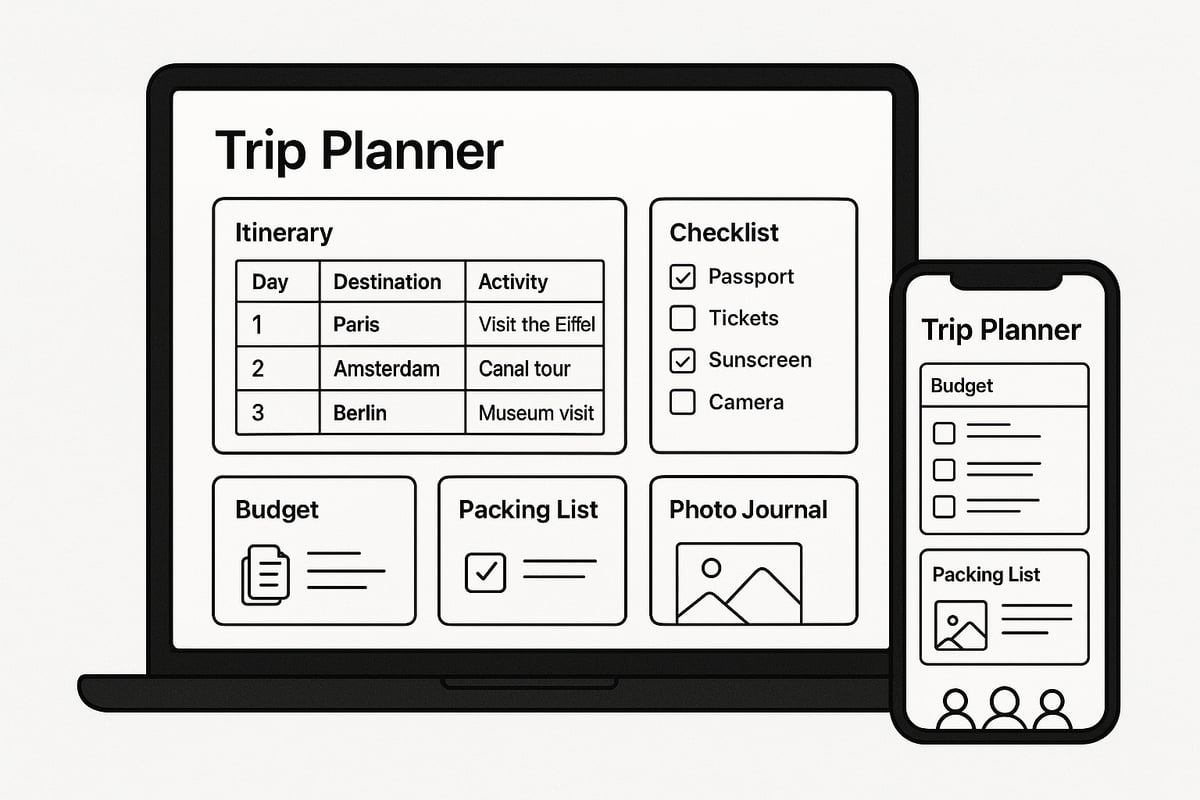
A standout feature of any notion trip planner is its dynamic itinerary database. Travelers can create detailed tables for flights, hotels, activities, and transportation, all linked for effortless updates. For example, by using a linked database, changing a flight time automatically updates related activities and transport. Notion offers multiple views, so you can switch between a day-by-day, weekly, or country-specific breakdown with a single click. This flexibility ensures you never lose sight of the big picture or the smallest detail. To see this feature in action, consider the Around the World travel template, which showcases robust itinerary management.
A secure notion trip planner provides seamless integration of bookings and travel documents. Attach PDFs, tickets, visas, and confirmations directly to the corresponding trip entry for instant access. Notion’s file upload feature allows you to keep all essential documents—passports, insurance, and emergency contacts—within one protected workspace. Advanced permission settings keep your sensitive data private. Even if you are offline at the airport or in transit, your vital information remains accessible, reducing stress and saving time.
Effective financial oversight is a hallmark of a great notion trip planner. Build a dedicated budget database to categorize expenses like flights, accommodation, food, and activities. Use built-in formulas to auto-calculate totals, track group contributions, and convert currencies in real time. Visual dashboards summarize your spending and remaining budget at a glance. For group travel, Notion’s databases help split costs transparently, ensuring everyone stays on the same page and no expense goes unaccounted for.
Packing and preparations are streamlined with a notion trip planner. Reusable packing list templates can be customized for each destination, climate, or travel style. Add checkboxes for every item—clothing, electronics, medications, and travel essentials—so nothing gets left behind. Checklist templates also help manage trip tasks like booking hotels, securing visas, or scheduling vaccinations. Automated reminders keep you on track, so you never miss a deadline or overlook a critical task before departure.
A notion trip planner excels in group travel scenarios. Share your workspace with co-travelers, assigning roles and responsibilities for smoother coordination. Real-time updates allow everyone to see itinerary changes, vote on activities, or confirm RSVPs instantly. Use comments and mentions to discuss plans or delegate tasks. For example, groups can create polls for activity selection, ensuring every voice is heard and consensus is easily reached, making planning democratic and efficient.
Preserving memories is simple with a notion trip planner. Embed photo galleries, digital journals, and interactive maps to document your journey as it unfolds. Create daily reflection prompts, attach location tags, and summarize experiences for each day. After the trip, easily archive memories, review highlights, and export stories for future inspiration. This feature transforms your trip planner into a digital scrapbook, blending practical organization with personal storytelling.
Setting up your notion trip planner is the foundation for stress-free travel in 2026. Whether you are a first-time user or a seasoned Notion enthusiast, these step-by-step instructions will help you transform your travel ideas into a streamlined, actionable plan.
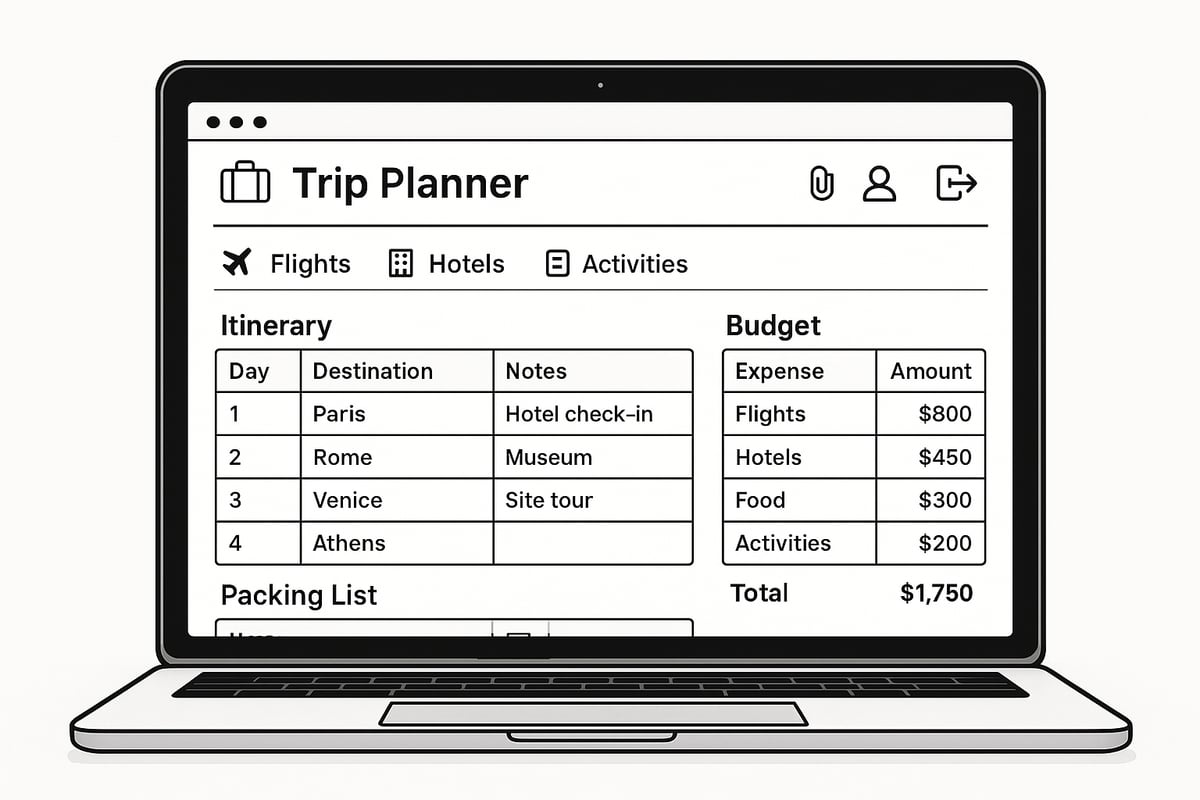
Begin by creating a dedicated page in Notion for your next adventure. Name your workspace after your destination or trip purpose. Within this page, structure clear sub-pages for your itinerary, budget, documents, and memories.
If you are new to Notion, consider reviewing the Learn Notion basics guide to get familiar with essential features before building your notion trip planner. This foundation ensures your trip data stays organized and accessible from any device.
A robust itinerary database is the heart of any notion trip planner. Use Notion tables to create entries for flights, accommodations, activities, and transportation.
Add detailed properties such as departure and arrival times, locations, confirmation links, and notes. Use filters and multiple views to break down your itinerary by day, week, or country, providing flexibility for last-minute changes or extended stays.
Centralize your travel documents by uploading PDFs, e-tickets, and confirmations directly into your notion trip planner. Create dedicated sections for passports, insurance, and emergency contacts.
Organize these uploads for quick access, especially when offline or navigating customs. Notion’s permission settings help you keep sensitive documents secure, so you can travel with confidence.
Track your travel finances with a budget dashboard in your notion trip planner. Start by estimating costs for flights, accommodations, meals, and entertainment.
Log actual expenses as you travel, using tables with categories and real-time currency converters. Set up summary dashboards to monitor your budget and avoid overspending, making group expense splitting simple and transparent.
Every successful notion trip planner includes reusable packing lists and checklists. Tailor templates for different destinations, seasons, or trip types—such as adventure, city, or family travel.
Add checkboxes for each item and task, from visa applications to vaccination appointments. Use reminders to keep your planning on track and ensure nothing is left behind.
Share your notion trip planner with travel companions for seamless group coordination. Assign responsibilities for bookings, meals, or daily activities, and track RSVPs or votes for group decisions.
Use Notion’s comments and mentions to keep everyone updated in real time. This collaborative approach eliminates confusion and helps everyone stay engaged throughout the journey.
Planning your next adventure in 2026 starts with choosing the right notion trip planner template. With hundreds of options available, selecting the perfect fit for your travel style can be overwhelming. Let’s break down the top choices and what makes them stand out.
A notion trip planner can transform scattered travel ideas into an organized, actionable plan. When browsing templates, look for:
Popular options include the official Notion Trip Planner Template, which offers a robust starting point for most travelers. Whether you’re a solo explorer or planning a group getaway, these templates streamline every aspect of your journey. With the right notion trip planner, you can centralize tasks, documents, and memories with ease.
Notionland stands out for its curated collection of notion trip planner templates tailored to various travel needs. The “Ultimate Trip Planner” template is especially popular, featuring:
Templates from Notionland cater to solo adventurers, families, and business travelers alike. Their designs help you manage complex itineraries and keep everyone in sync.
Choosing the best notion trip planner often comes down to user feedback and specific features. Here’s a quick comparison:
| Template Name | User Rating | Key Features |
|---|---|---|
| Notionland Ultimate Trip Planner | 4.8/5 | Drag-and-drop, group planning |
| Notion Trip Planner Template | 4.6/5 | Official, budget & itinerary |
| Aesthetic Notion Travel Planner | 4.7/5 | Visual layouts, journaling tools |
| Minimalistic Trip Planner | 4.5/5 | Clean design, quick setup |
Travelers praise templates that offer flexibility, clear layouts, and seamless mobile use. The Aesthetic Notion Travel Planner is favored for its design and journaling features.
Customizing your notion trip planner is simple. Follow these steps:
For advanced users, combining multiple templates or adding custom widgets can further streamline your planning process. The ability to tailor every section ensures your notion trip planner grows with your travel ambitions.
A reliable notion trip planner should function across devices and on the go. Most templates are optimized for both desktop and mobile, allowing you to:
Before your trip, test offline access to ensure your planner works without internet. With mobile optimization, your notion trip planner becomes a true travel companion, ready whenever and wherever you need it.
Unlock the full power of your notion trip planner by leveraging advanced strategies that streamline organization, enhance collaboration, and ensure your travel plans are both secure and memorable. These best practices will help you optimize every stage of your journey, from pre-trip prep to post-trip reflection.
Take your notion trip planner to the next level by connecting it with essential travel tools. Integrate Google Maps for dynamic route planning, sync calendars for automated reminders, and use travel APIs to pull in live flight or weather updates. Automating check-in alerts and document expiration notices ensures nothing slips through the cracks.
For even more customization, explore Notion tools and widgets for travel to embed interactive maps, countdowns, or weather widgets directly into your planner. These integrations not only save time but also make your workspace more interactive and insightful.
When planning group trips, efficient collaboration is key. Share your notion trip planner with co-travelers, assigning permissions for editing or viewing as needed. Use comments and mentions to facilitate real-time discussions, make quick decisions, or clarify responsibilities.
Shared databases let everyone contribute updates, whether it is RSVPing for activities or splitting expenses. During travel, live itinerary edits keep everyone informed. This approach minimizes confusion, ensures transparency, and empowers each traveler to stay engaged throughout the process.
A notion trip planner can be as visually inspiring as it is functional. Personalize your dashboard by adding custom icons, covers, and color-coded layouts tailored to your destination or travel style. Embed maps, weather widgets, and countdown timers to create a dynamic, motivating workspace.
You can use gallery views for photo inspiration or calendar views for a holistic trip overview. Adjusting the layout to highlight what matters most to you—like a packing list or budget summary—makes your planner both practical and enjoyable to use.
Protecting sensitive travel information is crucial. Set granular permissions in your notion trip planner to control who can access passports, tickets, or financial data. Use private sub-pages for confidential documents and restrict sharing when necessary.
Always review sharing settings before inviting collaborators, especially when handling group travel. For added safety, enable two-factor authentication on your Notion account, and regularly back up critical documents to ensure you are never caught off guard by lost data or connectivity issues.
Once your journey concludes, your notion trip planner becomes a valuable archive. Archive completed trips to declutter your workspace while preserving memories for future reference. Export journals, expense reports, and photo galleries to create shareable recaps or printed keepsakes.
Reflect on what worked well and update templates for next time. This habit not only improves your future planning but also transforms your Notion workspace into a personal travel library, inspiring your next adventure.
Now that you’ve seen how a Notion trip planner can simplify every part of your 2026 travels—from organizing itineraries and budgets to collaborating with friends and keeping memories in one place—you’re probably ready to start building your own. Why not make the process even easier with expertly designed templates and resources from Notionland? You’ll find everything you need to personalize your planner and streamline your adventures, all in one place. If you’re excited to bring your travel plans to life with confidence and clarity, Shop Now and get started with the best Notion tools available.